Introdução
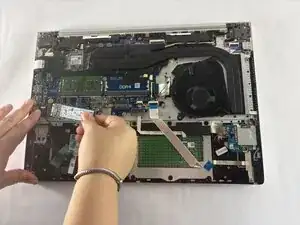
This guide will help you replace the hard drive in the HP ProBook 455 G7 (Model: 7JN02AV). This model can be configured with a SATA HDD or SSD, which stores your operating system, files, applications, and recovery partitions.
You may need to replace the hard drive if you experience symptoms like frequent crashing, slow performance, clicking noises, or boot errors. If you’re unsure, refer to the “Storage or Boot Issues” section of the Troubleshooting Page.
Before starting, back up any important data, as removing the hard drive will erase access to all stored files. Make sure the laptop is powered off and unplugged.
If you are upgrading to an SSD, HP’s support site provides migration resources that may help transfer your OS.
Ferramentas


-
-
Flip the laptop over so the lower case is facing up.
-
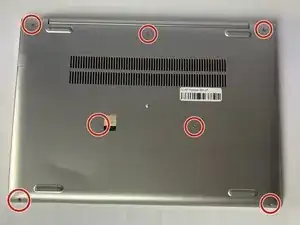
Use a Phillips #1 screwdriver to remove the seven 8 mm-long screws securing the lower case.
-
-
-
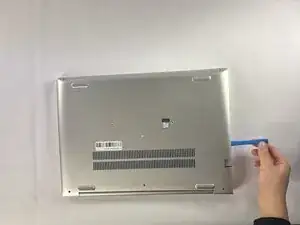
Insert an opening tool into the seam between the lower case and chassis.
-
Pry around the entire perimeter until the lower case fully releases.
-
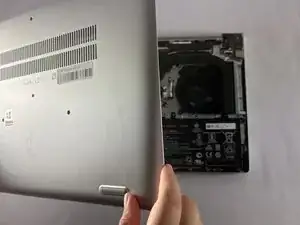
Lift and remove the lower case.
-
-
-
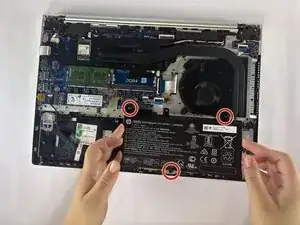
Use a Phillips #1 screwdriver to remove the three 4 mm-long screws securing the battery.
-
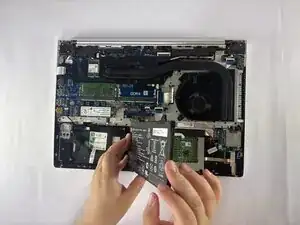
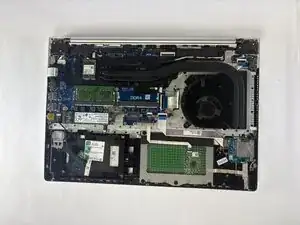
Carefully lift the battery and remove it from the laptop.
-
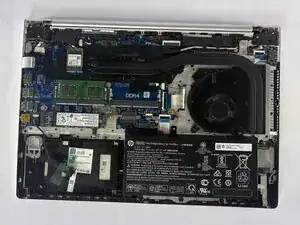
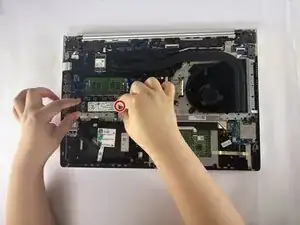
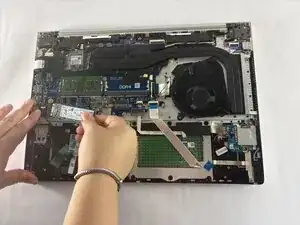
Your HP ProBook 455 G7 hard drive has been successfully replaced!
Power on the device to ensure the new hard drive is functioning properly
Use a compatible 2.5-inch SATA drive or SSD for replacement. Avoid forcing connectors to prevent damage to the motherboard.
