Introdução


-
-
Turn off the laptop and remove power cable.
-
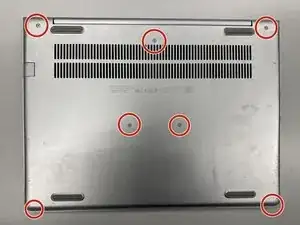
Flip the laptop upside down.
-
Remove the labeled screws with Phillips #0 screwdriver.
-
-
-
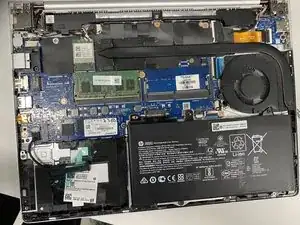
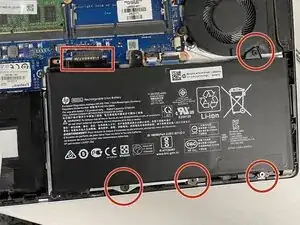
Disconnect the battery by removing the labeled screws and lifting the battery upwards from the box-labeled connector.
-
Battery disconnecting is very important to do before any replacements!
-
-
-
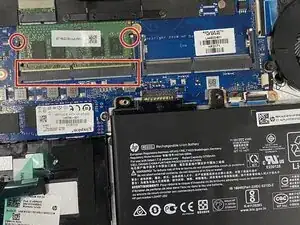
Remove the old memory slot by moving labeled holders on the both sides of the slot.
-
Insert the new memory slot by set its side against the box-labeled interface and plug it by pressing it down.
-
You can too set a slot to the second place.
-
Conclusão
If you want to upgrade memory on HP ProBook 430 G6, this guide is for you!
