Introdução

This is a guide on how to replace the hard drive in the Hp ProBook 430 G3. If your computer isn't allowing you to access old files or there are clear examples of data corruption you need to replace the hard drive.

  1. lnJbdlud6MQGNZMj
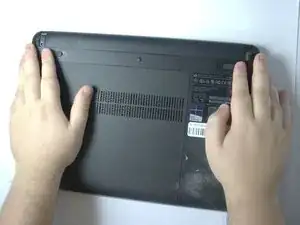
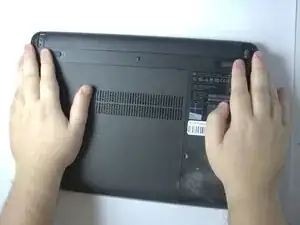
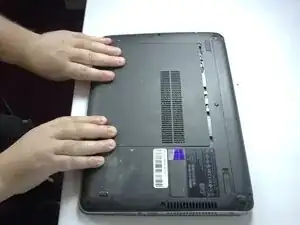
    • Position the laptop upside down.

  2. WHvAUe12F2mnPLRu
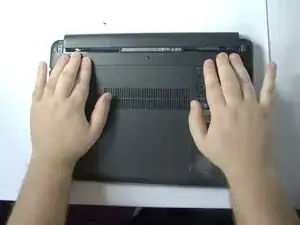
    • Slide the two battery latches inward.

  3. xvwTYmWUZJCfi6om
    • Remove the battery.

  4. xegVCxmUILquYwmc
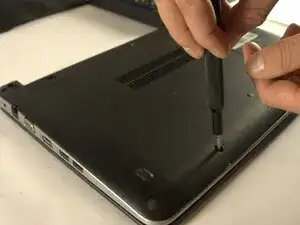
    • Remove the rubber caps covering the screws.

  5. dnCCg6JUtShbBcbT
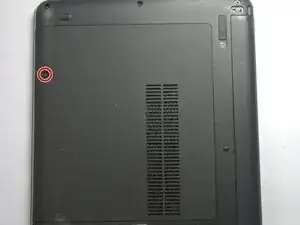
    • Loosen the captive screw.

  6. bfU4HYdamYAp2SVN
    • Slide the panel toward yourself and off of the laptop.

  7. hSI1UdXjEZoxh3Di
    hSI1UdXjEZoxh3Di
    LqanmSp5KfSgDvvQ
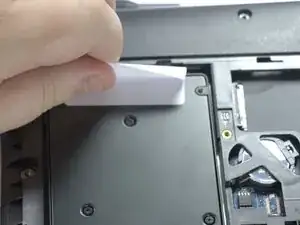
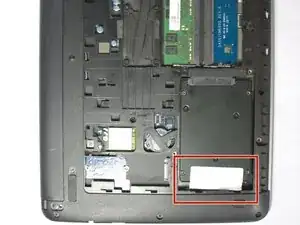
    • Pull up the white paper from the hard drive.

    • Slide the hard drive away from the connector.

Conclusão

To reassemble your device, follow these instructions in reverse order.

Cole Whitehead

Membro desde: 04/11/25

73 Reputação

0 comentários