Introdução
-
-
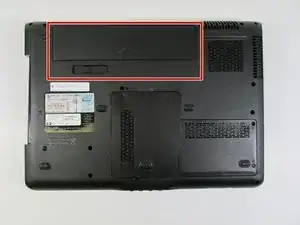
Flip over the device so that the bottom is facing you.
-
Locate the battery on the bottom of your laptop.
-
-
-
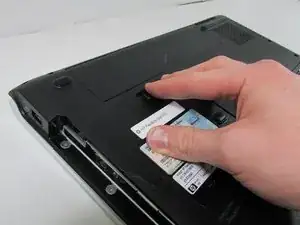
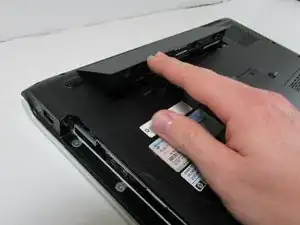
Slide the tab all the way over to the left until battery pops out. Lift out and remove battery.
-
Conclusão
To reassemble your device, put the battery in and push until you hear it snap in.
