Introdução

  1. noP2HSVckOg5Wg61
    noP2HSVckOg5Wg61
    5CNkXTr1diMOWoTA
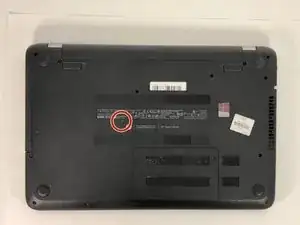
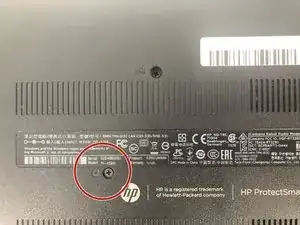
    • Remove the 6 mm Phillips #1 screw securing the optical drive.

  2. iXXPsqkVskt6VneE
    iXXPsqkVskt6VneE
    HQBAiwfnkSgva4ML
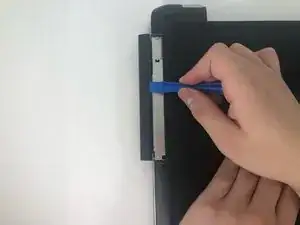
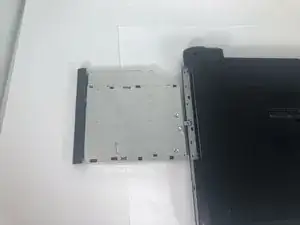
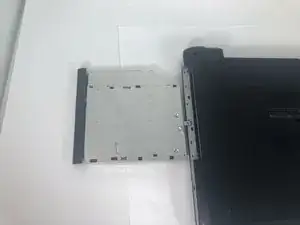
    • Use the iFixit opening tool to slide the optical drive away from the laptop housing.

Conclusão

To reassemble your device, follow these instructions in reverse order.

Elijah Gasmen

Membro desde: 18/03/19

365 Reputação

0 comentários