Introdução

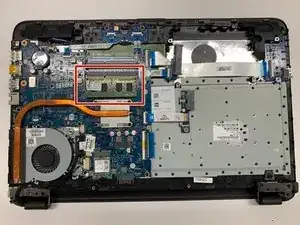
This guide will detail how to replace the RAM modules in your HP Pavilion 15-ba003ds. You can use this guide if you’re having troubles with RAM, would like to upgrade the amount of RAM in your system, or have problems with blue screens as your RAM modules may be faulty.

  1. nNBFcHJLnvohIREU
    nNBFcHJLnvohIREU
    NkKAO3o6GAcZW6qV
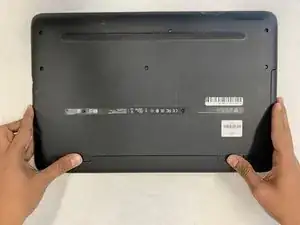
    • Unplug the AC adapter from the corresponding socket in the laptop.

    • Turn off your laptop before starting this procedure. Make sure it's not in sleep or hibernation mode.

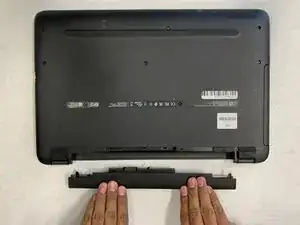
    • Use your fingers to push the slider located just under the battery on either side to unlock the battery from the laptop.

    • Carefully slide the battery out of the laptop frame and place it somewhere safe.

  2. U5fHbTu64NityHHi
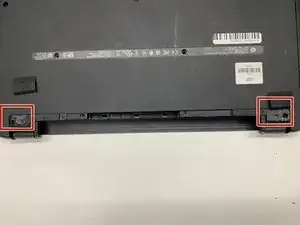
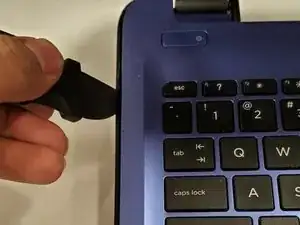
    • Use a spudger to remove the two rubber feet next to the battery.

    • This will reveal two hidden screws.

    • Save the feet for reassembly.

  3. eVKLylXFHSRoNv6t
    eVKLylXFHSRoNv6t
    hOX2K6DGgBl62Ksa
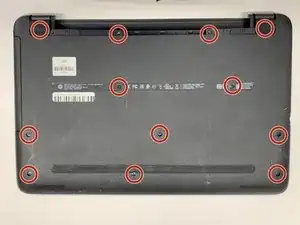
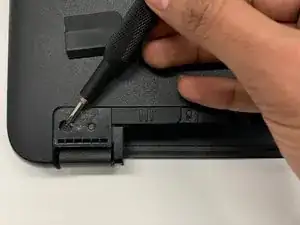
    • Use a Phillips #00 screwdriver to remove twelve 8 mm screws from the bottom of your laptop including the two screws found underneath the rubber feet.

  4. DU6LRaPYSQbPUNlK
    DU6LRaPYSQbPUNlK
    UuGCc1XliG1LQgQw
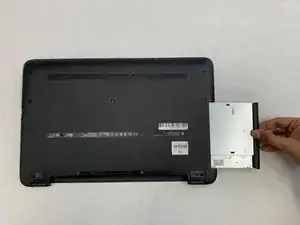
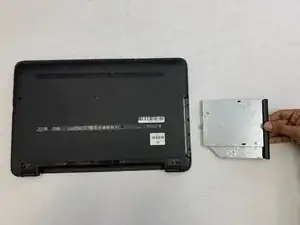
    • Pull the disc drive from your laptop to remove it.

  5. QmKdvMmdcxBUnXGa
    QmKdvMmdcxBUnXGa
    uCLkHIaAOGZuGhvm
    2wlsrlGx5jYnV6Jv
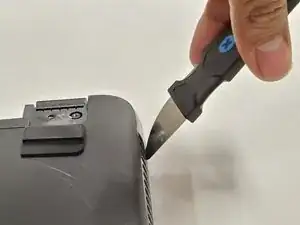
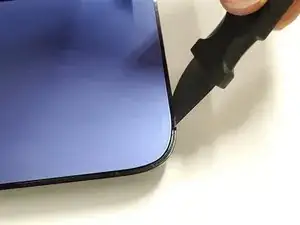
    • Use a Jimmy to pry off the black backplate.

  6. rDv3elInR3TYhSZt
    rDv3elInR3TYhSZt
    UCL6YidSGGpVpL3a
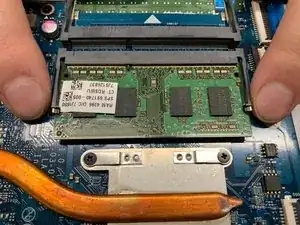
    • To release the RAM, hold and pull the strips outwards on either side of the RAM.

Conclusão

To reassemble your device, follow these instructions in reverse order.

Krushnam Badami

Membro desde: 15/01/20

342 Reputação

0 comentários