Introdução
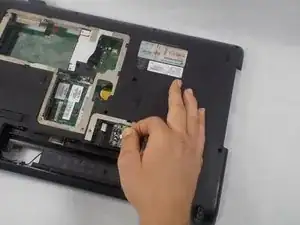
If your HP G71t 400 laptop is having trouble connecting to WiFi networks such as weak signals, dropped connections, or no wireless detection, use this guide to replace the WiFi card.
The WiFi card allows your laptop to connect to wireless networks. A faulty card can prevent your device from maintaining a stable connection or from detecting networks altogether.
If your laptop still cannot connect after replacement, see the HP G71t 400 Troubleshooting page for additional help.
Ferramentas

-
-
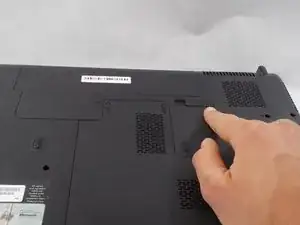
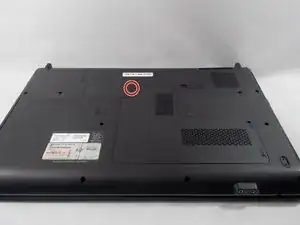
Lay the laptop down so the bottom is facing up.
-
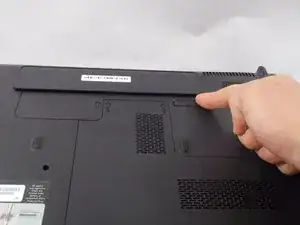
Push the slide button, circled in photo 1, to release the battery.
-
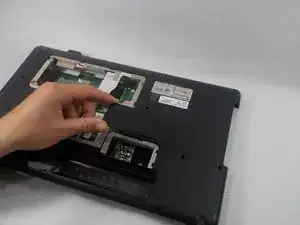
Action in picture 2 shows the direction and release.
-
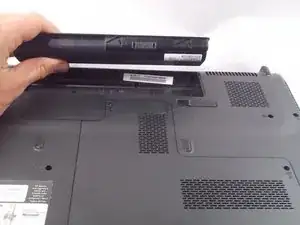
Tilt the battery back in the direction it popped up in and remove the battery.
-
This ensures there is no power in the system that could potentially short out any components.
-
-
-
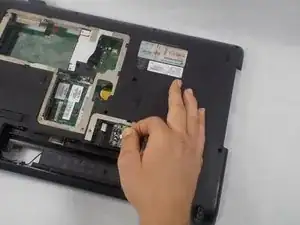
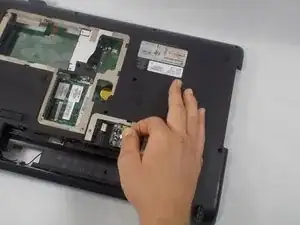
Disconnect the two wires attached. Making note to where each wire was connected for easy install.
-
Extract the WiFi card.
-
To reassemble your device, follow these instructions in reverse order.
