Introdução

Replacing the RAM (Random Access Memory) in your HP EliteBook 830 G6 is the simplest way to boost your laptops speed, multitasking ability, and performance. This should be one of the first things to look into when your laptop is experiencing lag.

  1. kVYqAKbhmJJCiD1F
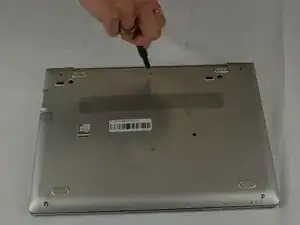
    • Use a JIS #1 screwdriver to remove the five 10.7 mm screws from the bottom cover.

  2. mR5bWpkEyrCS1w6a
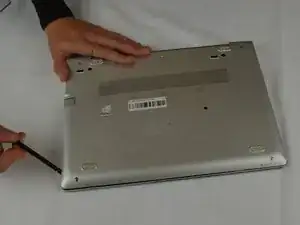
    • With your spudger you will pry off the bottom panel with some force.

  3. CAoEPH56JoVRpyVw
    CAoEPH56JoVRpyVw
    jxxeGbcFhy3FFP2k
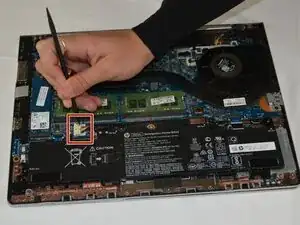
    • Use a spudger to disconnect the battery connector from the motherboard.

    • Avoid pulling on the cables as this can damage the connector or socket.

  4. oirHx5AKPjJPOrbt
    oirHx5AKPjJPOrbt
    2sWemqVb6SWjAa6q
    YgCHUFmMWeZRbsXF
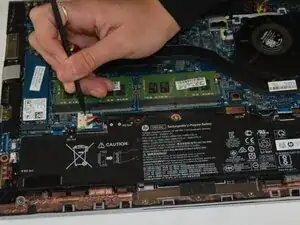
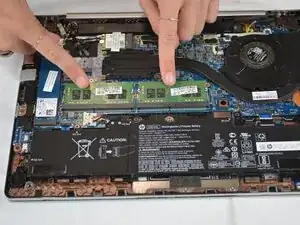
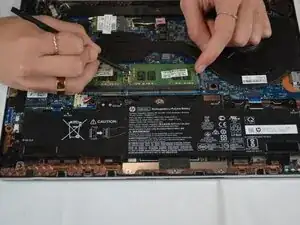
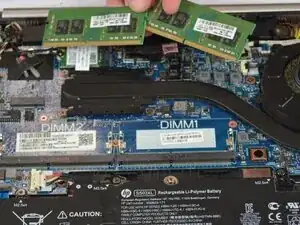
    • Pull the two metal brackets on the sides of both RAM sticks outward with a spudger or your fingers.

    • This should allow them to pop up at an angle.

  5. 3vMplh6JhxoDgIU3
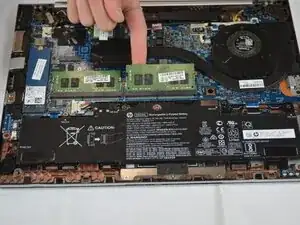
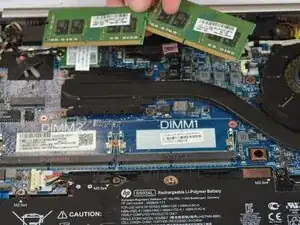
    • Pull the stick of RAM out of its socket to remove it.

    • Repeat for a second stick of RAM.

    • To install a memory module, insert it into its socket at a slight downward angle, then push down firmly until both metal arms lock the RAM in place.

Conclusão

To reassemble your device, follow these instructions in reverse order. Take your e-waste to an R2 or e-Stewards certified recycler.

Haley Johnson

Membro desde: 25/09/25

193 Reputação

0 comentários