Introdução

If the battery in your HP EliteBook 830 G6 is no longer working, it is damaged, or it is no longer holding a charge follow this guide to replace your laptops battery.

  1. kVYqAKbhmJJCiD1F
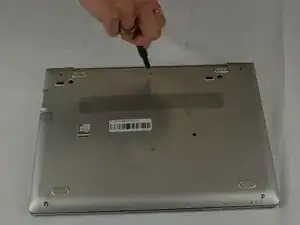
    • Use a JIS #1 screwdriver to remove the five 10.7 mm screws from the bottom cover.

  2. mR5bWpkEyrCS1w6a
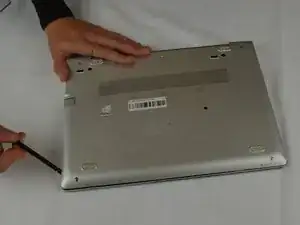
    • With your spudger you will pry off the bottom panel with some force.

  3. ak5kCHRodDqKgHSw
    ak5kCHRodDqKgHSw
    1pCWBm25QgqPHn6W
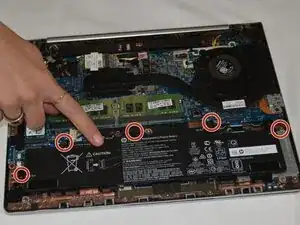
    • Use a JIS #1 screwdriver to remove the five 4.7 mm screws securing the battery.

  4. GSEjRo2b13WEgq4e
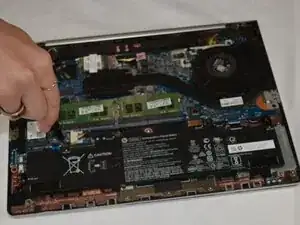
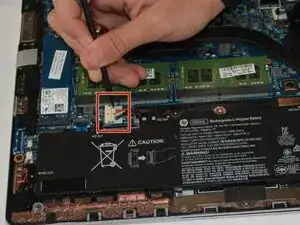
    • Gently disconnect the battery cord from motherboard using a plastic spudger.

  5. PurEXiuheNQGLYtM
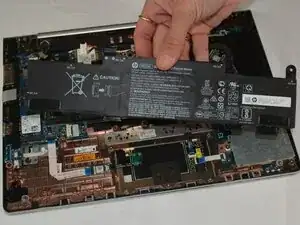
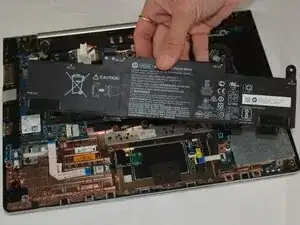
    • Remove the battery from the laptop.

Conclusão

To reassemble your device, follow these instructions in reverse order. Take your e-waste to an R2 or e-Stewards certified recycler.

For optimal performance, calibrate your newly installed battery after completing this guide.

Haley Johnson

Membro desde: 25/09/25

193 Reputação

0 comentários