Introdução

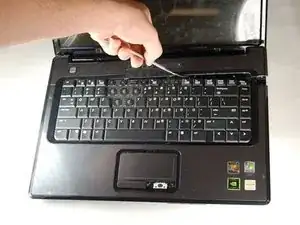
This guide demonstrates how to remove and replace and HP Compaq Presario V6000 trackpad in order to preserve the function of the device.

Ferramentas

  1. QVhnxhHdCtXb6pxZ
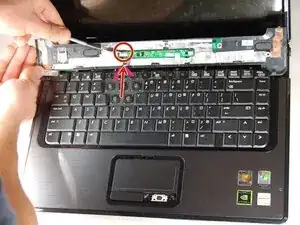
    • Use the metal spudger to gently remove the plastic plate from the rest of the top panel.

    • Be careful not to break the plastic tabs connecting the two top panels.

  2. mXWMGQVlyePCU6sw
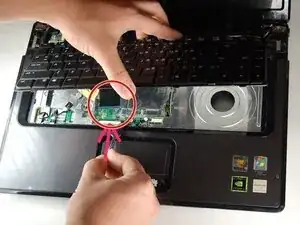
    • Separate the connection of the top piece from the board.

  3. 1TrKqoshwTYkhHrs
    • Remove the connection from the keyboard to its housing.

  4. QfdAxet2Ug5eeSbE
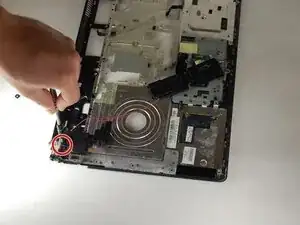
    • Separate the power connections.

  5. Eih3xIBaSZX3aiFs
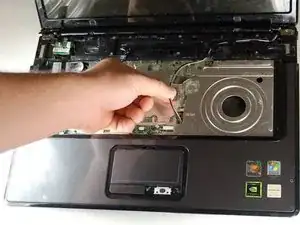
    • Unravel the wire.

  6. NRVDIhT46bTByQlt
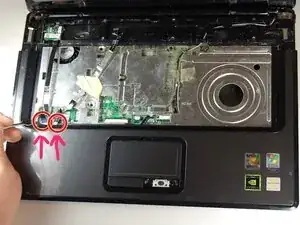
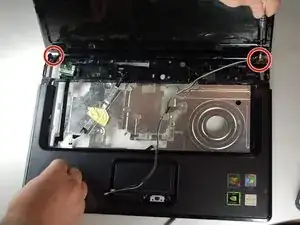
    • Remove the screws connecting the plastic housing to the screen.

    • Use caution when removing the last screen. Do no damage the screen.

  7. iVfF6r6D2siGB2NM
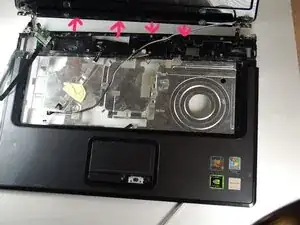
    • Make sure to grip the screen tightly and separate the top and bottom.

  8. ebjwqAy1JlVCJ6CV
    ebjwqAy1JlVCJ6CV
    Yg5pg5g5VUx224IR
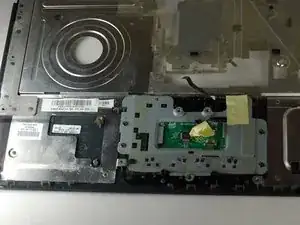
    • Remove the screws that hold the track pad in place.

    • Remove the track pad.

Conclusão

To reassemble your device, follow these instructions in reverse order.

adam

Membro desde: 11/10/16

323 Reputação

0 comentários