Introdução

This repair guide was authored by the iFixit staff and hasn’t been endorsed by Google. Learn more about our repair guides here.

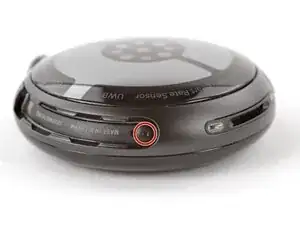
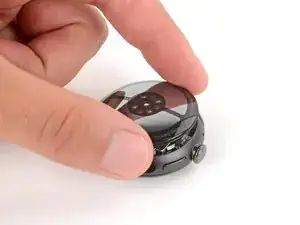
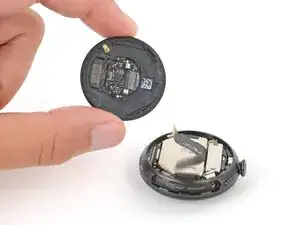
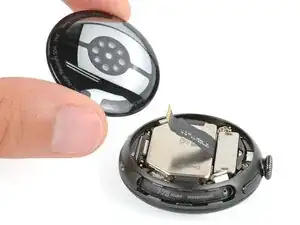
Use this guide to replace a cracked, chipped, scratched, or broken back sensor glass (aka Bio Sensor Hub) on your Google Pixel Watch 4.

If the biometric sensors on your watch aren't working, you may need to replace the back sensor glass.

This guide was written using a 41 mm LTE model Pixel Watch 4. While some photos may contain slight visual discrepancies, procedures for all 41 mm and 45 mm models are functionally the same.

  1. 2sjCPhXSxeQyctTB
    2sjCPhXSxeQyctTB
    fVxUWu21iZEXshwH
    6f2aItfOcFCe5Uxn
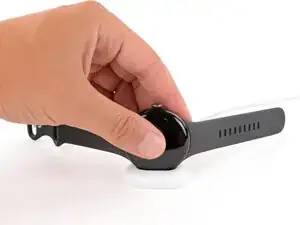
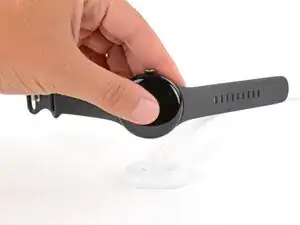
    • Before starting your repair:

    • Remove your watch from the charger.

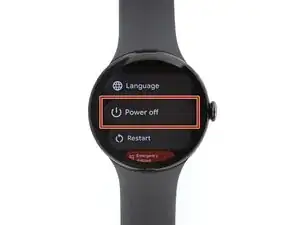
    • Press and hold the crown button, then tap Power off to shut down your watch.

  2. LH5xfbt6vckXAjpc
    LH5xfbt6vckXAjpc
    no3LDiUSyPjuLjkK
    QK2KbpeCYgPYWSqY
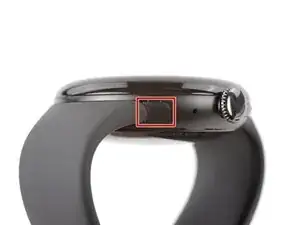
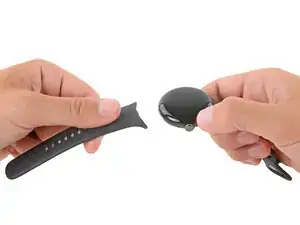
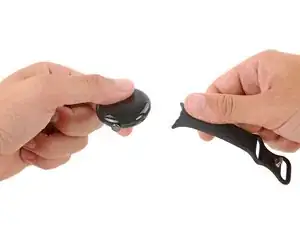
    • Remove each watch band by depressing the release button and sliding the band out of its groove.

  3. RUL54bFq6DGhHBFl
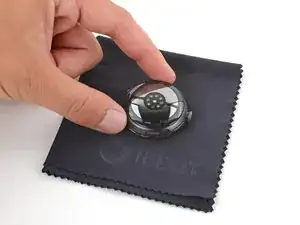
    • Throughout the rest of your repair, consider placing your watch on something soft like a clean cloth to help stabilize it and prevent scratches to the front glass.

  4. nDdMtKdnPhuS3pBn
    nDdMtKdnPhuS3pBn
    ooFNZ15vXY6wmYUN
    IBoRxiTqYqqPJqHO
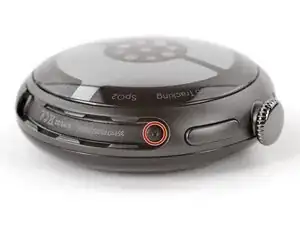
    • Use a Torx Plus 2IP screwdriver to remove the 3.0 mm‑long screw from both watch band grooves (two screws total).

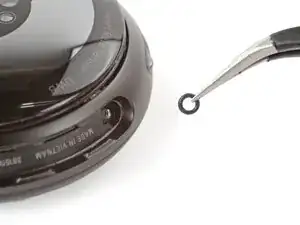
    • Both screws have a tiny O‑ring. If they don't lift away with the screw, use a pair of tweezers to carefully remove them from the band groove and set them aside. These O-rings are required to maintain waterproofing.

    • Handle these O-rings carefully. Avoid pinching or slicing them with your tool.

    • During reassembly:

    • Make sure the O‑rings are on the screws before installing them.

    • Push down firmly on the back glass while installing the screws to make sure the glass gets properly seated.

    • If there's a gap between the back glass and frame, remove the screws and reinstall them.

  5. JZJyZlFQthOW62Hk
    JZJyZlFQthOW62Hk
    CcCFYODeQuF4NNcI
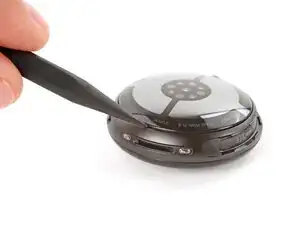
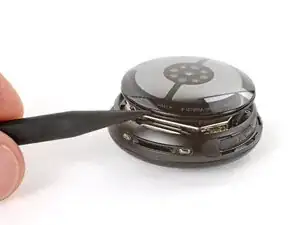
    • Insert the point of a spudger (or a clean fingernail) into the seam between the back sensor glass and frame and pry up until the cover detaches.

  6. rnpRjBwDZJL2ZIDw
    rnpRjBwDZJL2ZIDw
    NB4e5YoDa3ECDUJm
    LMP4sVXYbmgCWxKX
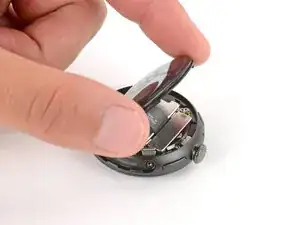
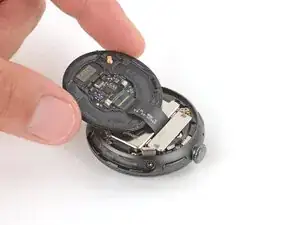
    • Gently lift the back glass and flip it over the side of the watch opposite the crown.

    • Be careful not to strain the cable connecting the back sensor glass.

  7. CNAfwxXF4HqsawS1
    CNAfwxXF4HqsawS1
    1IXwx4odBM1UfaSF
    V6uYGh5UQfCCaQsj
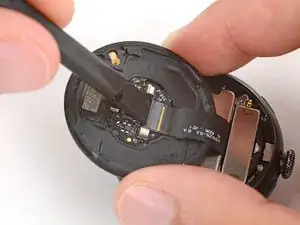
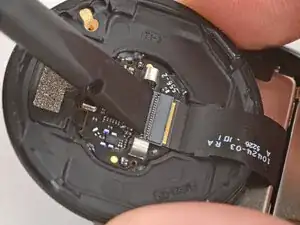
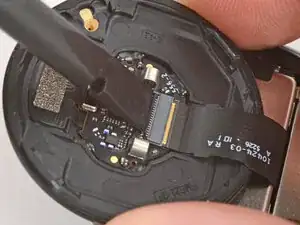
    • Use a spudger to lift the small, hinged locking‑flap on the back sensor glass ZIF connector.

  8. USUTKuAvVobFRSJo
    USUTKuAvVobFRSJo
    iKCYF1iXfxqkHsEp
    H6VpDjDKNqquQDQV
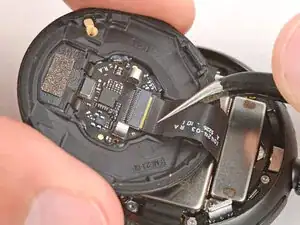
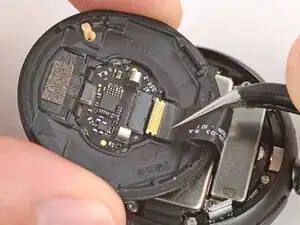
    • Gently slide the cable out of its socket and remove the back sensor glass.

    • During reassembly, make sure the locking flap is lifted before sliding the cable fully into its connector—it should snap into place.

Conclusão

To reassemble your device, follow these instructions in reverse order.

Take your e-waste to an R2 or e-Stewards certified recycler.

Repair didn’t go as planned? Try some basic troubleshooting, or ask our Answers community for help.

Spencer Day

Membro desde: 14/09/22

165254 Reputação

0 comentários