Introdução

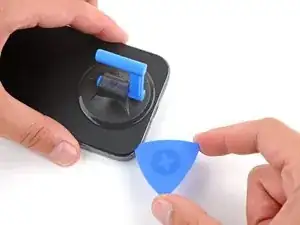
This guide shows how to separate the adhesive on your Google Pixel 9 Pro/Pro XL.

  1. LTilkVoaHyOYJQoP
    LTilkVoaHyOYJQoP
    DDba2IYvihnIWjP6
    • Let your Pixel's battery drain below 25% before starting this repair. A charged lithium‑ion battery may catch fire if damaged.

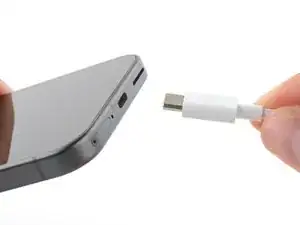
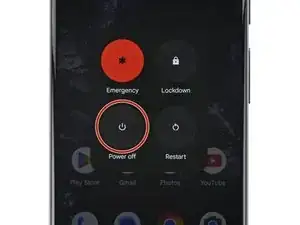
    • Unplug all cables and completely power down your phone.

  2. r4ALN1nNrl6VZPRt
    r4ALN1nNrl6VZPRt
    qQcMm3UWVCfl6HRf
    EjiIYYrMD66sFdQJ
    • Adhesive secures the perimeter of the rear cover to the frame.

    • When separating the adhesive, don't insert your tool more than 3 mm under the rear cover to avoid damaging the internal components.

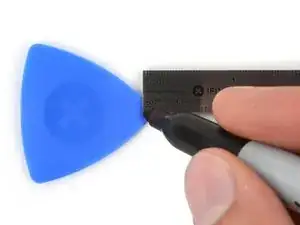
    • Measure 3 mm from the tip and mark your opening pick with a permanent marker. Alternatively, you can tape a coin to a pick 3 mm from the tip.

  3. OaiCwDY1lk41A6Xf
    OaiCwDY1lk41A6Xf
    kptZ6ACd6oUwu3FY
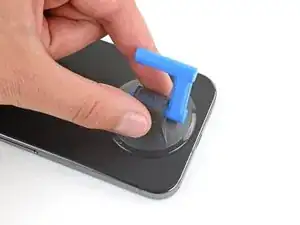
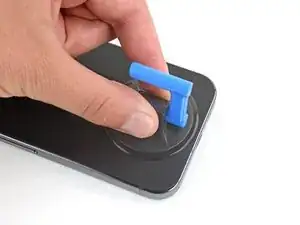
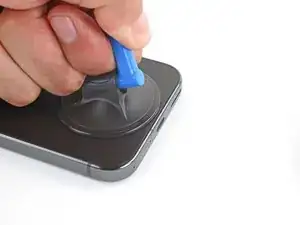
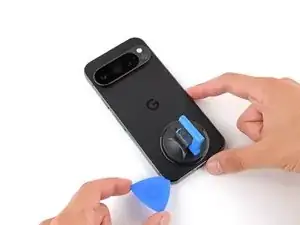
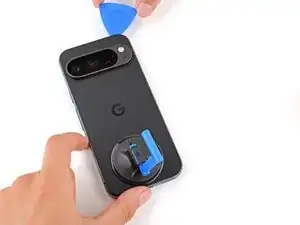
    • Attach a suction handle to the bottom edge of the rear cover, as close to the edge as possible.

    This thing doesn't work well. No matter what i do

    Ram A -

    You can make it work a little better if you warm it up just slightly. Run it under hot water for 30 seconds or so. That'll allow it to flex a little and not be so stiff.

    Bryan P -

    If the device back side is shattered this is quite difficult to achieve ...
    Warming the suction handle helps a bit but not enough ...

    What I had to insert "Jimmy" a "knife"/thin metal sheet [1] to get the opening picks in between. (no guarantee that I won't break anything (: )

    [1]: Jimmy

    Dennis K -

  4. yw1EJlOiABskBdKL
    yw1EJlOiABskBdKL
    MxJdqYHajYtvTpSA
    RvEdZYgHwdnXfwaC
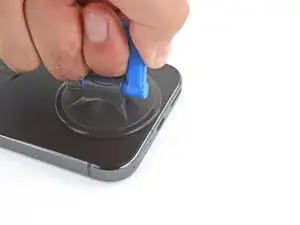
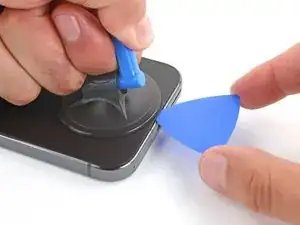
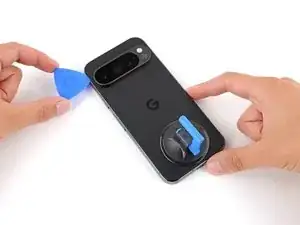
    • Pull up on the suction handle with strong, steady force to create a small gap under the rear cover.

    • Insert the tip of an opening pick in the gap.

  5. HkyuyubdI1H2AhKb
    HkyuyubdI1H2AhKb
    HILCAWMvJaJoS2do
    DTIPQw3bSMMYWUqI
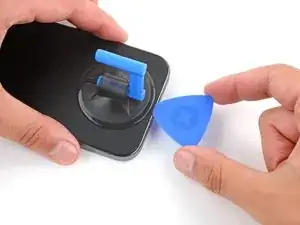
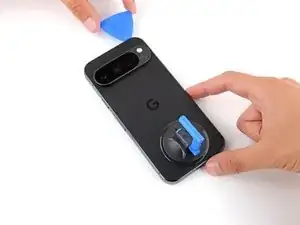
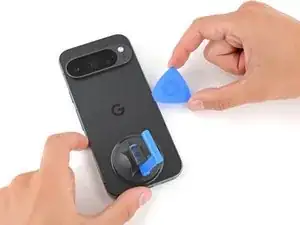
    • Slide your opening pick along the bottom edge to separate the adhesive securing it.

    • Remember: don't insert the opening pick deeper than 3 mm.

  6. 2oRhYpMIYHSnHhvr
    2oRhYpMIYHSnHhvr
    ByXnLwODUBeEsTgO
    y53cfD3QiL45NIBY
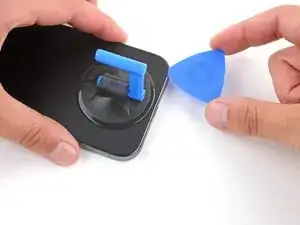
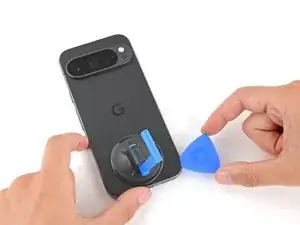
    • Slide your opening pick up the left edge and along the top edge to separate the adhesive.

  7. ePjwYS6ZGdYRDf4q
    ePjwYS6ZGdYRDf4q
    uKjPnqP535TdUNLG
    Mt6r5HGxaAyYrvKR
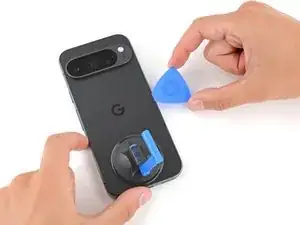
    • Slide your pick down the right edge to separate the remaining adhesive.

Spencer Day

Membro desde: 14/09/22

165254 Reputação

0 comentários