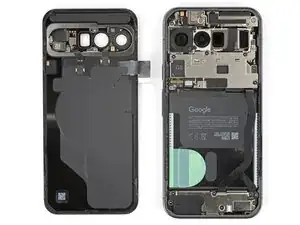
Introdução

  1. KfF631MWyOVITN1h
    KfF631MWyOVITN1h
    hZHiOHQ3mCjSMlFY
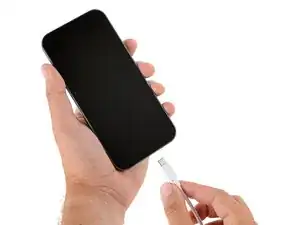
    • Let your Pixel's battery drain below 25% before starting this repair. A charged lithium‑ion battery may catch fire if damaged.

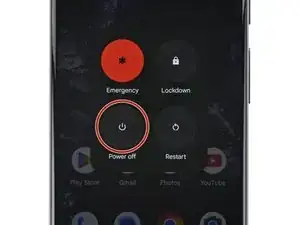
    • Unplug all cables and completely power down your phone.

  2. ZNXPUEtFRKbvLN53
    ZNXPUEtFRKbvLN53
    bIUoEdobn22IoVVJ
    lp2IWQ6SPMwIlNGV
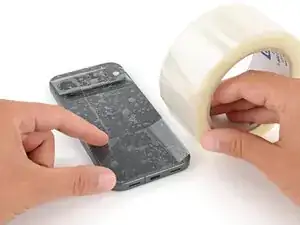
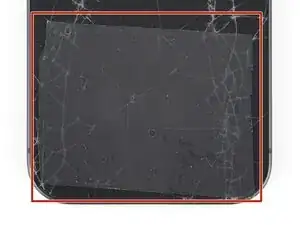
    • Glass shards can complicate disassembly—or worse, cause injury. If your phone's back glass is cracked, follow this step.

    • Apply strips of packing tape to the cracked glass until it's completely covered—this will help keep the glass contained and allow the suction cup to stick.

    • Make sure there's a single strip (not overlapping) of tape across the bottom edge, big enough for a suction cup to fit on.

    • Only cover the glass itself—don't stick any tape to the frame.

    • Consider wearing safety glasses to protect your eyes from any glass shaken free during the repair.

  3. Eor1433CTheLSBZu
    • Adhesive secures the back glass to the frame. Heating the glass softens the adhesive, making it easier to separate.

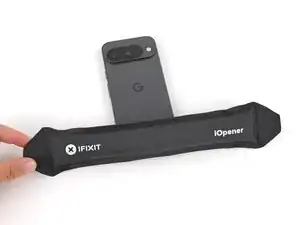
    • Heat an iOpener and lay it on the bottom edge of the back glass for two minutes.

    • Alternatively, you can use a hair dryer or heat gun to heat the back glass.

    • Improper use of a heat gun can destroy the display and/or battery—follow the linked instructions carefully.

  4. oLOKuCYcPeWQ2HGJ
    oLOKuCYcPeWQ2HGJ
    Ef2Ow1P1cZeQqOHX
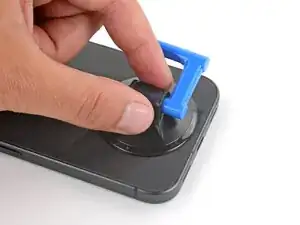
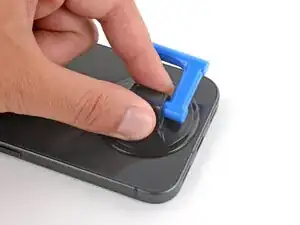
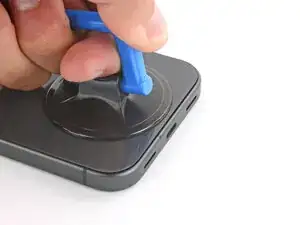
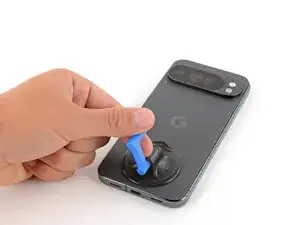
    • Apply a suction handle to the center of the back glass's bottom edge, as close to the edge as possible.

  5. qfQgMUNTkDvCKkEB
    qfQgMUNTkDvCKkEB
    6Vk1HxfKOk35NVfT
    fYFvvubfr5ObFtFc
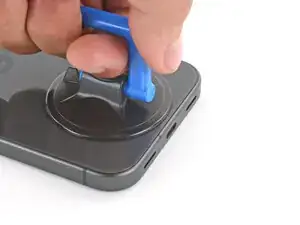
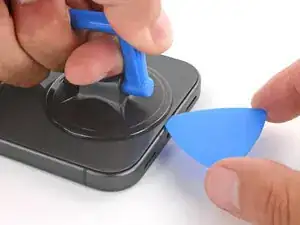
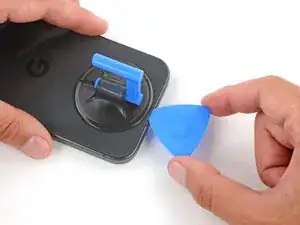
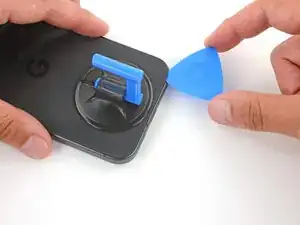
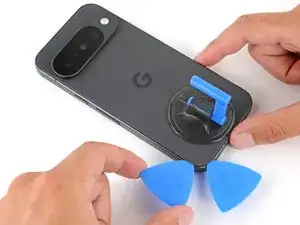
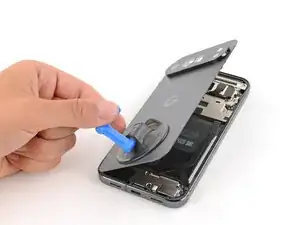
    • Pull up on the suction handle with strong, steady force until a gap forms between the back glass and frame.

    • Insert the tip of an opening pick into the gap.

  6. EAOsnpWZdACt3ZIO
    EAOsnpWZdACt3ZIO
    FdFS14PG1RWXZPTF
    ZYGJQLVXdQQ5Rxqm
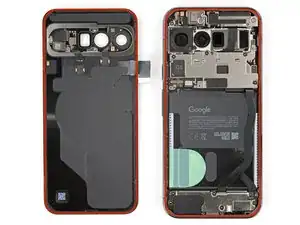
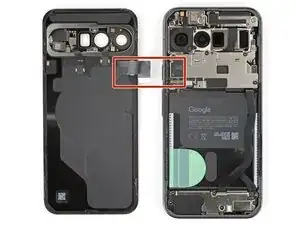
    • The back glass is secured with adhesive around the perimeter of the frame. Use this picture as a reference while you separate the adhesive.

    • A cable connects the back glass near the power button. Don't insert your pick here to avoid damaging the cable.

  7. xOxQKvfXJZbTsSvL
    xOxQKvfXJZbTsSvL
    mS5KC1TZUx5HoLNa
    2dvDqK3qdAVjqCRN
    • If the back glass feels stuck at any point during the next few steps, apply heat to the area and try again.

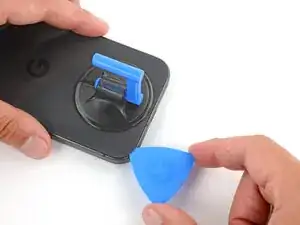
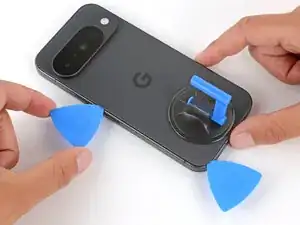
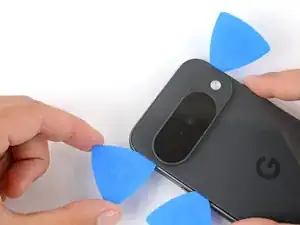
    • Slide the opening pick along the bottom edge to separate the adhesive.

    • Leave the pick inserted under the bottom left corner to prevent the adhesive from re‑sealing.

  8. kqEtcokQfPmuDLHi
    kqEtcokQfPmuDLHi
    OfoPwYwYZO6OUAlL
    AdDZbSgrOrhmS2QU
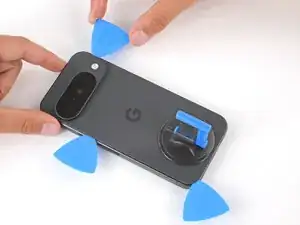
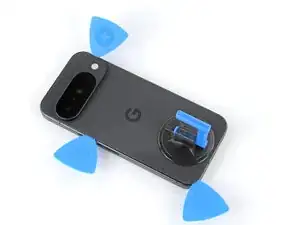
    • Insert a second pick under the bottom left corner and slide it up the left edge, stopping at the power button.

    • Leave the pick inserted to prevent the adhesive from re‑sealing.

  9. lQBDVDcom6xFHpZy
    lQBDVDcom6xFHpZy
    5BJPUUEVNFjTpc12
    gnLxKX5ChyWOEjjV
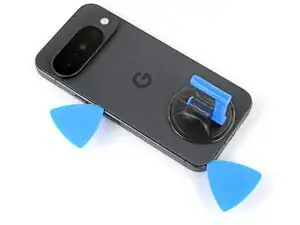
    • Insert a third pick under the bottom right corner of the back glass and slide it up the right edge.

    • Leave the pick inserted under the top right corner.

  10. paYcth1wkKEWk6Zr
    paYcth1wkKEWk6Zr
    TT4CTACoKJTfk4oH
    yeL1BLssphGKgnAk
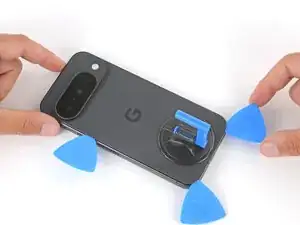
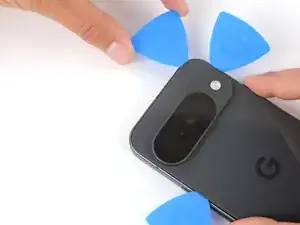
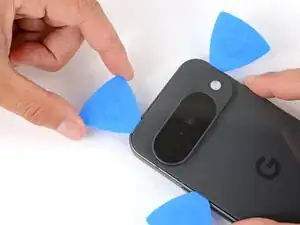
    • Insert a fourth pick under the top right corner.

    • Slide the pick along the top edge and slightly around the top left corner, stopping at the bottom of the camera bump.

    • Don't try to fully remove the back glass yet, as it's still connected by a ribbon cable.

  11. cDTMN1Ohi2EmXXli
    cDTMN1Ohi2EmXXli
    j6I6ERHuYJRYsRGM
    xiNsXmCXwERFEYYZ
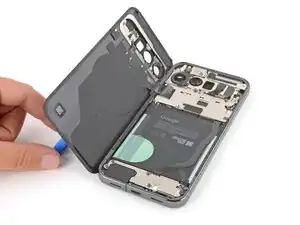
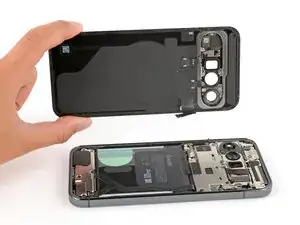
    • Flip the back glass over the left side of the phone and use the suction handle (or a sturdy object) to prop it up.

    • If the back glass still feels stuck, go back around the perimeter with an opening pick and separate any remaining adhesive.

  12. VX6KfBXUpmG5ZqLk
    VX6KfBXUpmG5ZqLk
    rtLF5ijSc2IHouLq
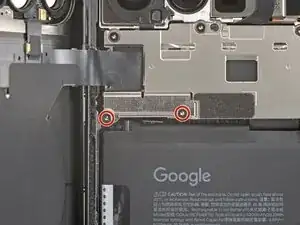
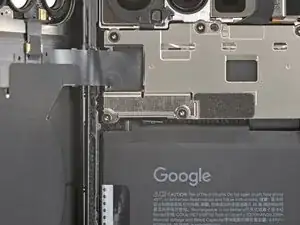
    • Use a Torx Plus 3IP screwdriver to remove the two 2.3 mm‑long screws securing the back glass connector bracket.

  13. CxqSbeXqgoZRuLEX
    CxqSbeXqgoZRuLEX
    5dvVbDmMkSEHMtml
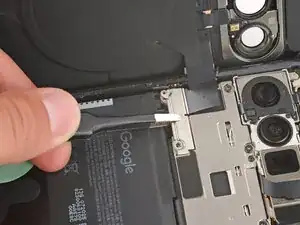
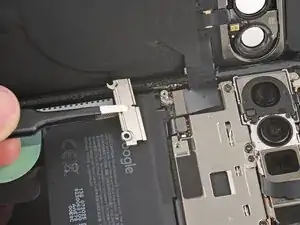
    • Use tweezers or your fingers to remove the bracket.

    • Be careful not to scratch or smudge the rear cameras.

  14. KBTZPRlVlixIJwjT
    KBTZPRlVlixIJwjT
    BGFZkqpTsCkQKwIq
    YQbpgH3aZUCI14FL
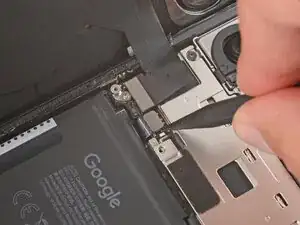
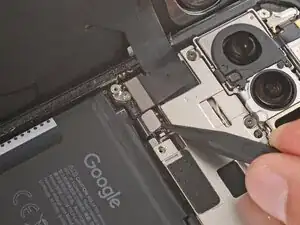
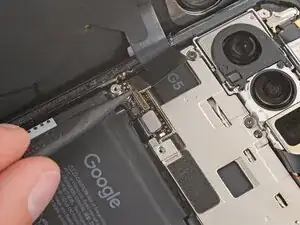
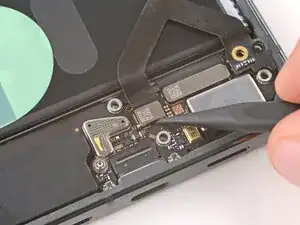
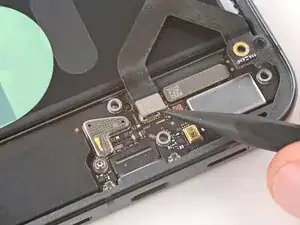
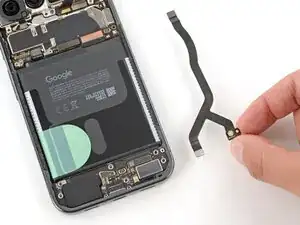
    • Use the point of a spudger to pry up and disconnect the battery and back glass press connectors.

  15. YObmVYEPaMxEcgoU
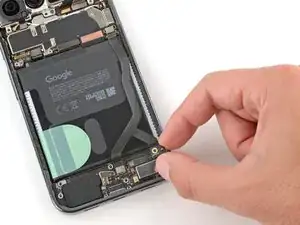
    • Remove the back glass.

  16. sVNyNxbubgbfA1PY
    sVNyNxbubgbfA1PY
    6hyDFqMTCyj6SntN
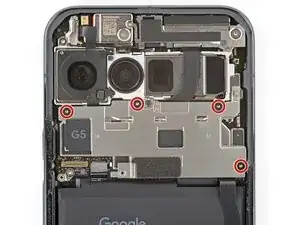
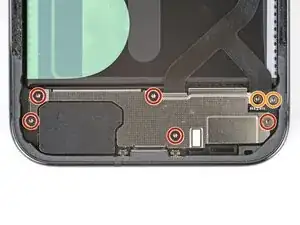
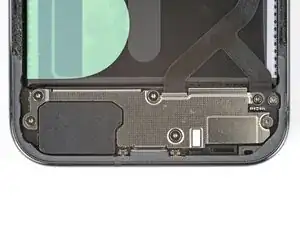
    • Use a Torx Plus 3IP screwdriver to remove the four 5.0 mm‑long screws securing the motherboard cover.

  17. foxFvtCF4PcZrsVW
    foxFvtCF4PcZrsVW
    RSuBWNQycXmPiyKX
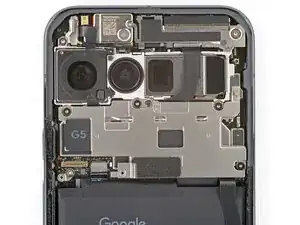
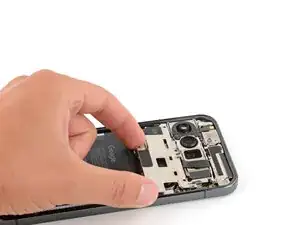
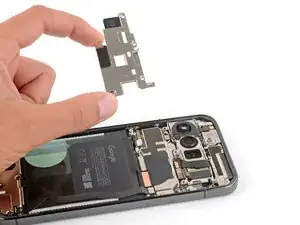
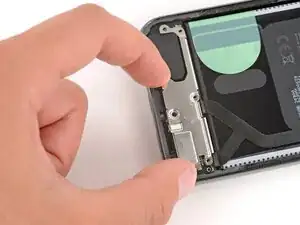
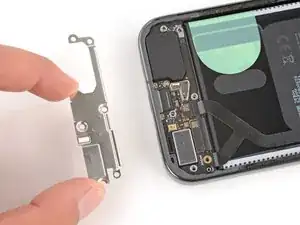
    • Remove the motherboard cover.

  18. PT1JmHFPfDTht456
    PT1JmHFPfDTht456
    5DEK3XNWfFMllWa2
    • Use a Torx Plus 3IP screwdriver to remove the seven screws:

    • Five 5.0 mm‑long screws

    • Two 4.1 mm‑long screws

  19. C1JyayL5XQkOoimg
    C1JyayL5XQkOoimg
    GuqkMSHMk6edTXFo
    • Remove the USB‑C board cover.

  20. YObQ1Lp2sKnVHtkJ
    YObQ1Lp2sKnVHtkJ
    VeFRvFGJGfECNO2n
    4SIS2LGemJOadwPk
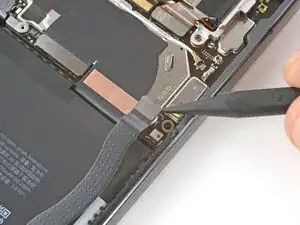
    • Use a spudger to pry up and disconnect both interconnect cable press connectors—one on the USB‑C board and one on the motherboard.

  21. ntvyC6i2vbTijreR
    ntvyC6i2vbTijreR
    OdiBhXxxP2qqMfCM
    • Remove the interconnect cable.

  22. QSsPnnqcL2pfJeed
    QSsPnnqcL2pfJeed
    WEBZibFo1WxHADIw
    ekrCrRCvOwi4Wua3
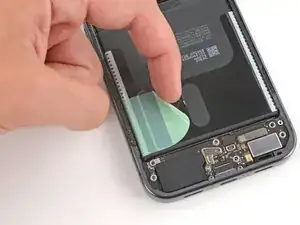
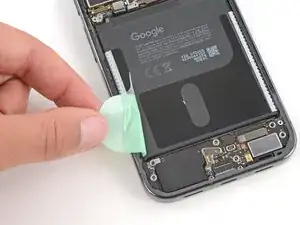
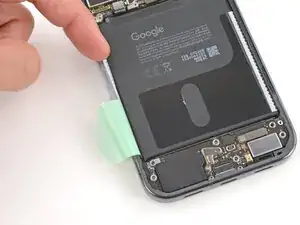
    • Use your fingers to peel up the entire battery tab on the left side of the battery, including the skinny strip running along the side.

  23. MXhLQKaADMNria4x
  24. JDCe4HgAlX6NLpqn
    JDCe4HgAlX6NLpqn
    S33I4b5PGUGoPNmY
    pyVQvBchNHWP4eMw
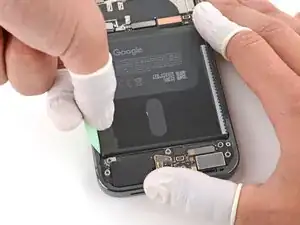
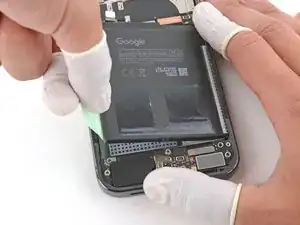
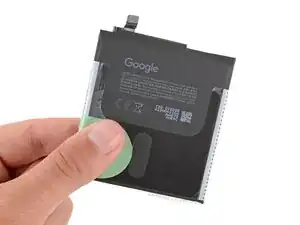
    • Secure the right side of your phone with one hand, and use your free hand to grip the battery pull tab.

    • Make sure your hand securing the phone is mainly pressing on the frame—it shouldn't be covering the battery or pressing down on delicate components.

    • Pull straight up on the tab and apply constant, steady force until the adhesive separates.

  25. RnQZXpBHRKwTSNjk
    RnQZXpBHRKwTSNjk
    cNVAvYnYpKWXeC3H
    1tB6GnwKYI5HTsj4
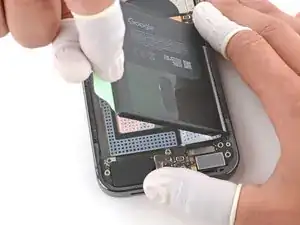
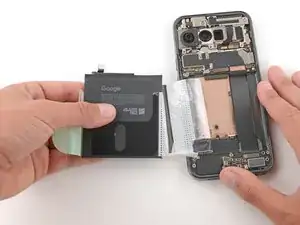
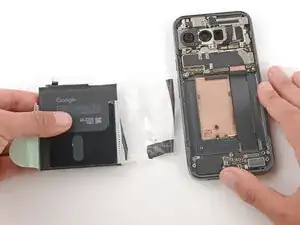
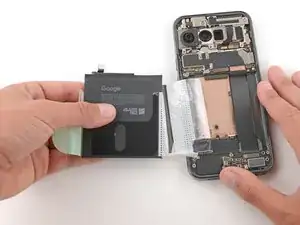
    • Grip the battery and slowly pull it away from your phone to peel the plastic sleeve out of the recess.

    • Remove the battery.

Spencer Day

Membro desde: 14/09/22

165254 Reputação

0 comentários