Introdução

  1. JIdkjpTwcmZIwVU5
    JIdkjpTwcmZIwVU5
    AIQwHxVBCQyNCQRs
    BEVoUUPJEadQcVIK
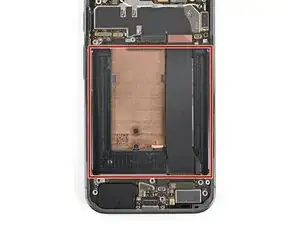
    • Before installing a new battery, check the recess for leftover bits of plastic, as well as adhesive residue from the battery sleeve.

    • If the battery came out cleanly, you can skip this step.

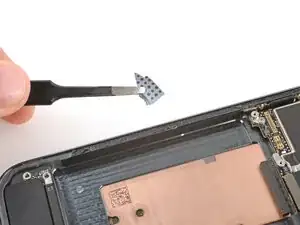
    • Remove any bits of plastic from the old battery sleeve.

    • Use one or two drops high‑concentration (>90%) isopropyl alcohol and a microfiber or lint‑free cloth to clean up any adhesive residue.

    • Be careful not to get alcohol in the cutouts in the battery recess—the bottom of the screen is exposed and may get damaged.

    • Allow the alcohol to dry completely before continuing.

  2. ObKfc4NQrK2K4PiD
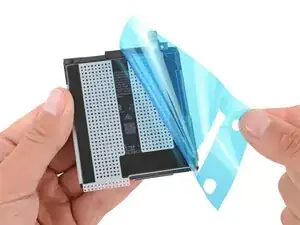
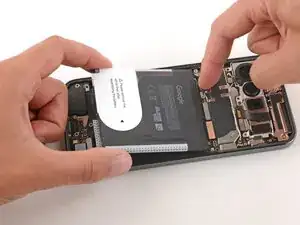
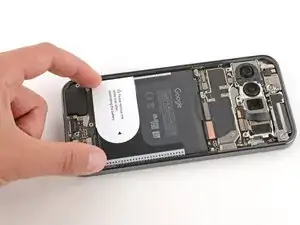
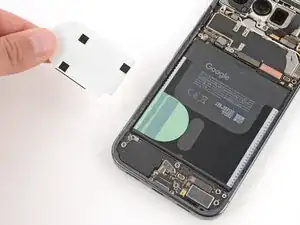
    • Remove the large, colored liner from the battery to expose the adhesive.

  3. daiBPBBKP1gZBM1b
    daiBPBBKP1gZBM1b
    ggT1s3EtehfEAgJJ
    tmJFBdZnuuKGODVG
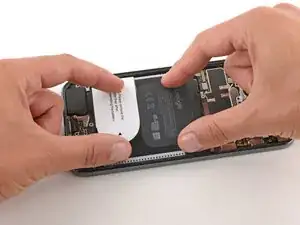
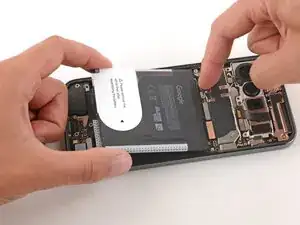
    • Hold the battery above its recess and use your finger to push down and reconnect the battery press connector.

    • Temporarily reconnecting the battery ensures that it's sitting properly in its recess.

    • Lay the battery into its recess and press down firmly to secure it.

  4. jYwVvxEbl2nubtpU
    jYwVvxEbl2nubtpU
    4bwSeDkoDivX1PSe
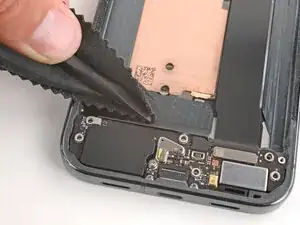
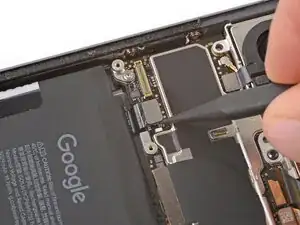
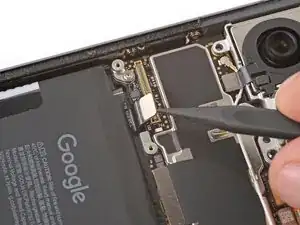
    • Use a spudger to pry up and disconnect the battery.

  5. XsHZeuKeEFaTwdwF
    XsHZeuKeEFaTwdwF
    EZEtwZMhdErPnxsB
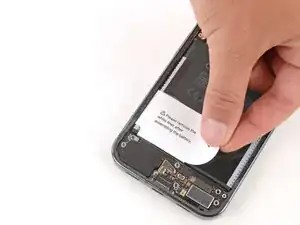
    • Use your fingers to remove any remaining stickers or liners from the battery.

Spencer Day

Membro desde: 14/09/22

165254 Reputação

0 comentários