Introdução

  1. HMYf2QpKau1rFALK
    HMYf2QpKau1rFALK
    e4AZcNDQFfFnvgSK
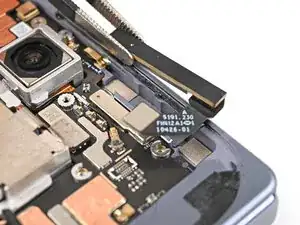
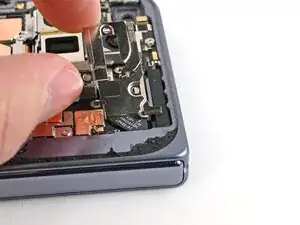
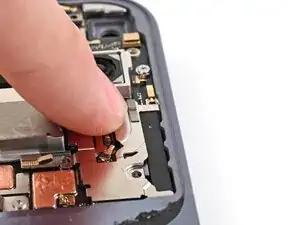
    • Place the 5G mmWave antenna into its slot in the frame.

  2. 2SlSATUNUifeOWIq
    2SlSATUNUifeOWIq
    dsI53cOVQUHHLNdH
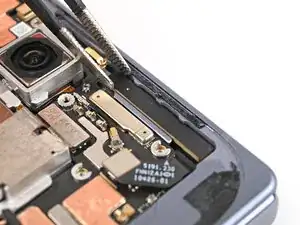
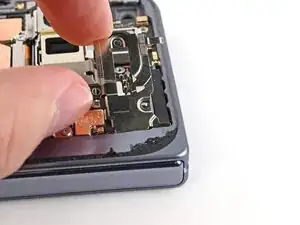
    • Use a spudger to press the antenna down into its thermal pad so it sits flat in the frame.

  3. XmwyeTa2rwJTxPvi
    XmwyeTa2rwJTxPvi
    QN2NQOUDATJDco3y
    AlrOwHbjXgl6e4hZ
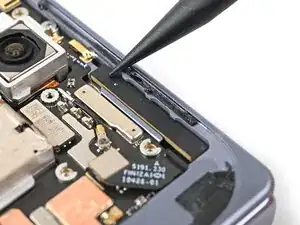
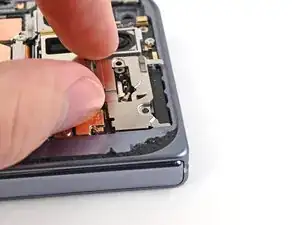
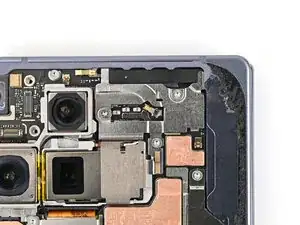
    • Slide the clip at the top right of the antenna bracket under the frame.

    • Press the bracket flat to the logic board and align its screw holes.

  4. jKg4sIvONMdrnlIK
    jKg4sIvONMdrnlIK
    P1wfRtFEUMEGuwUV
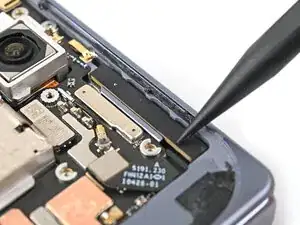
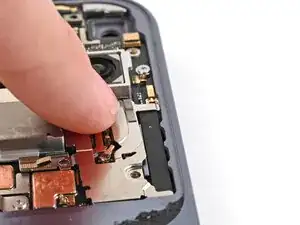
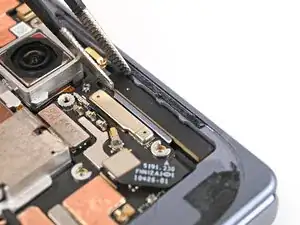
    • While pressing the bracket against the logic board, slide the top left clip under the frame.

  5. h5XSI6sfJYX2tiZi
    h5XSI6sfJYX2tiZi
    ysFsGVYUVnZjHnbq
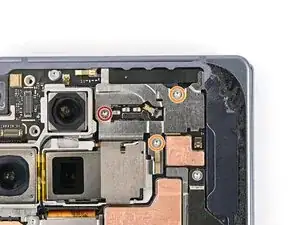
    • Use a Torx Plus 3IP driver to install the three screws securing the antenna bracket:

    • One 1.9 mm‑long screw

    • Two 2.8 mm‑long screws

Conclusão

To reassemble your device, follow these instructions in reverse order.

Alex Diaz-Kokaisl

Membro desde: 16/01/22

227430 Reputação

0 comentários