Introdução
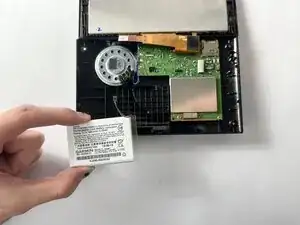
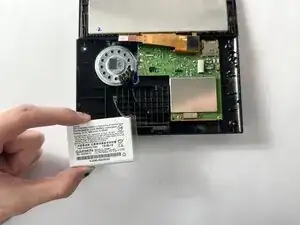
If the Garmin Nuvi 2539LMT no longer holds a charge and requires constant connection to a power cable, the battery may need to be replaced. This guide explains how to remove and replace the battery to restore normal operation. A failed or depleted battery can prevent the device from powering on.
Ferramentas


-
-
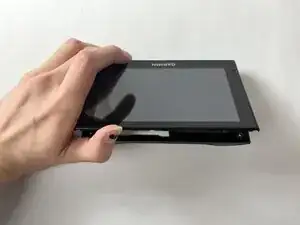
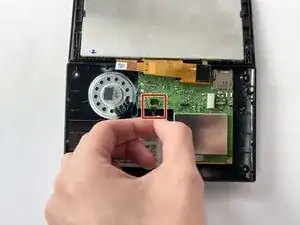
Gently fold the screen forward at the pivot labeled "Garmin," taking care not to strain or damage the internal connector.
-
Conclusão
To reassemble your device, follow these instructions in reverse order.