Introdução
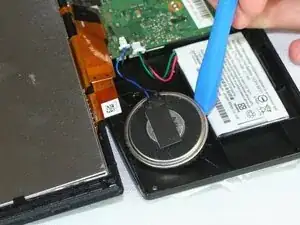
If your Garmin DriveSmart 50 LMT has low volume, distorted sound, or no sound at all when giving directions, the speaker may be damaged. This guide will walk you through replacing the internal speaker.
Take your time when separating the casing to avoid damaging the internal components.
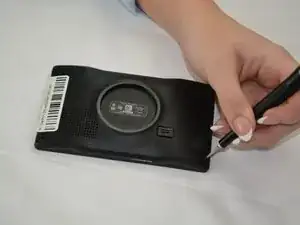
Before you begin the repair, power off the GPS and unplug the charger.
Ferramentas


-
-
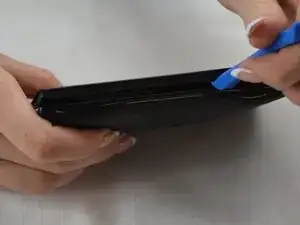
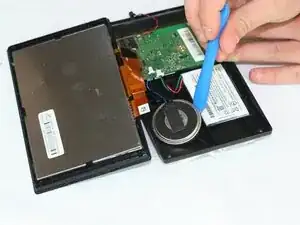
Insert an opening tool into the seam between the top and bottom case.
-
Slide it around the perimeter of the device to release the clips holding them together.
-
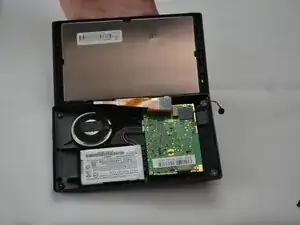
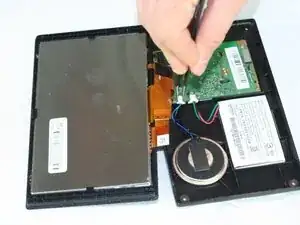
Separate the top and bottom of your GPS.
-
Flip the device so that the speaker is facing up.
-
Conclusão
To reassemble your device, follow these instructions in reverse order. Take your e-waste to an R2 or e-Stewards certified recycler.