Introdução
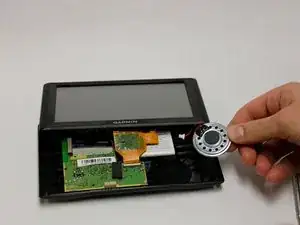
To replace the speaker in your device use need a T4 Torx screwdriver, metal spudger, plastic spudger, and a replacement speaker. Be sure to have a large workspace to avoid mishandling or damaging the device components.
Ferramentas


Peças
-
-
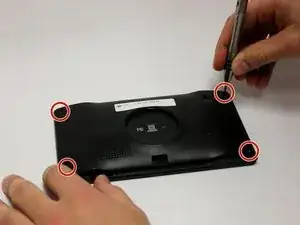
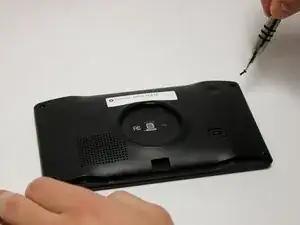
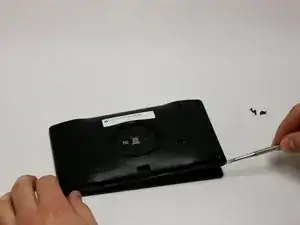
Using the T4 Torx screwdriver, unscrew all four of the screws (1/4 inch, 6.35 mm) from the back panel of he device.
-
-
-
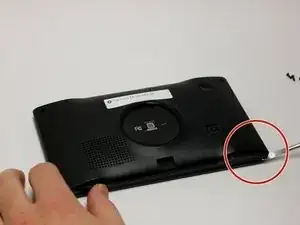
Remove the back panel using the metal spudger tool.
-
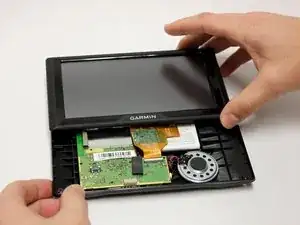
Flip the device over with the screen facing upward and open the device.
-
-
-
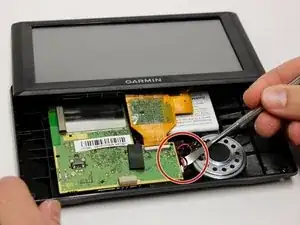
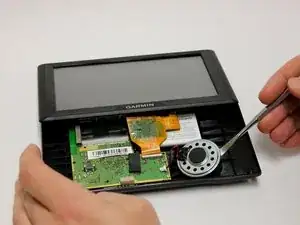
Use a plastic spudger tool to lift the wires from behind the motherboard.
-
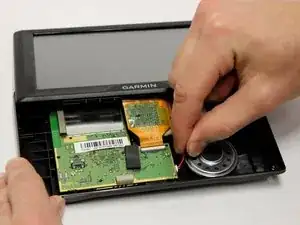
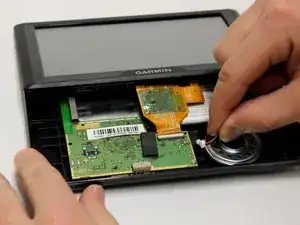
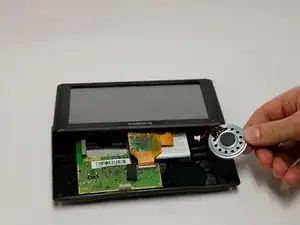
Carefully disconnect the wires attaching the speaker to the motherboard using your fingers.
-
Conclusão
To reassemble your device, follow these instructions in reverse order.
