Introdução
To replace the screen in your device you will need a T4 Torx screwdriver, a metal spudger, a plastic spudger, and a replacement screen. Be sure to have a large workspace to avoid mishandling or damaging the device components.
Ferramentas


Peças
-
-
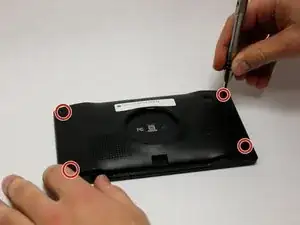
Use a T4 Torx screwdriver to remove the four 6.35mm screws that secure the rear case of the device.
-
-
-
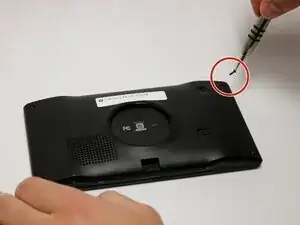
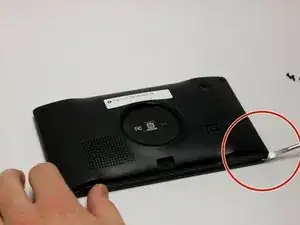
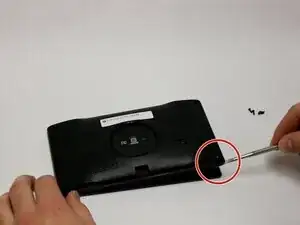
Remove the back panel using the metal spudger tool.
-
Flip the device over with the screen facing upward and open the device.
-
-
-
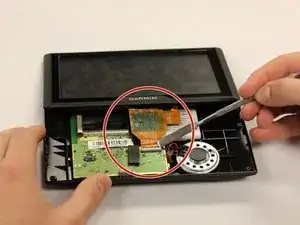
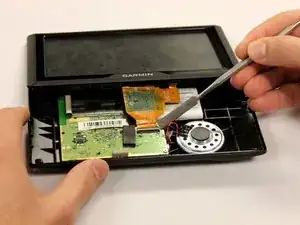
Use a plastic spudger to flip up the white clamp holding the orange ribbon in place to the motherboard.
-
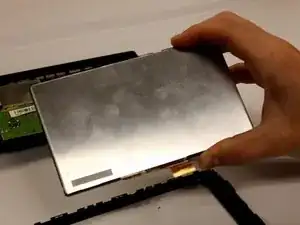
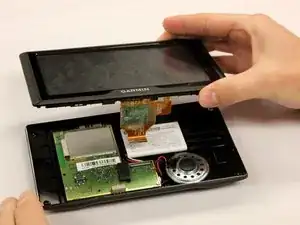
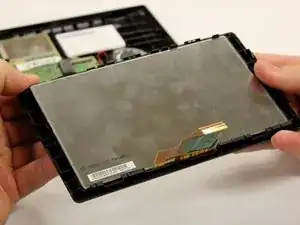
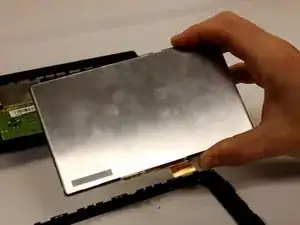
Lift the screen and orange ribbon away from the motherboard.
-
Conclusão
To reassemble your device, follow these instructions in reverse order.
