Introdução

Follow this guide in order to remove the front casing of the Garmin Drive 50 LM. Be careful as if the case has not been removed previously, it could take some extra effort to remove it.

  1. 1ChvLrAHTDJYHLud
    1ChvLrAHTDJYHLud
    H3BJpWBgyqbjLy2y
    K523IFUGVuI1F5pQ
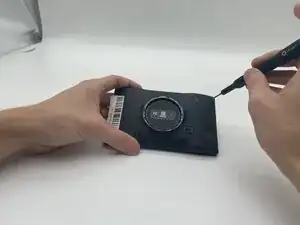
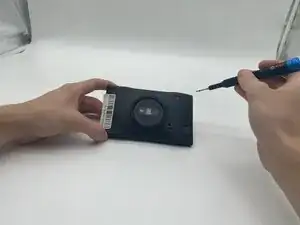
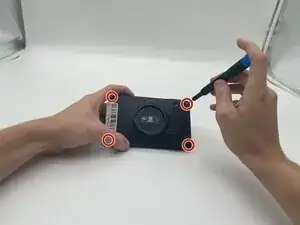
    • Use a T5 Torx screwdriver to remove the four 9 mm-long screws securing the case.

  2. CvRC3fbhsvZFfiEp
    CvRC3fbhsvZFfiEp
    mkJgTl5HrkWbF3Ov
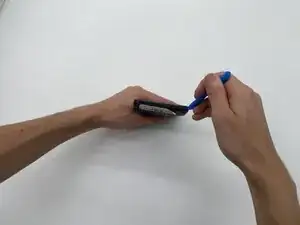
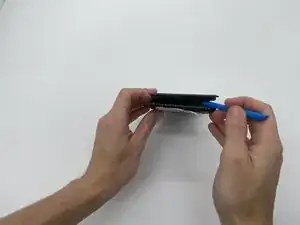
    • Insert an opening tool into the seam between the case and the chassis.

    • Pry around the perimeter of the device until the case releases.

    • It is recommended to work along the length of the device first, then the width.

  3. RJKLbC6HbaIFZ3CH
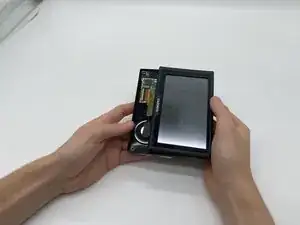
    • Once open, set the screen down at an offset to be able to see the yellow cable.

  4. GhJI1RKmMaFIZrnV
    GhJI1RKmMaFIZrnV
    dU2djthTLPQyRCWG
    lM6PuhVNaLZlPNgf
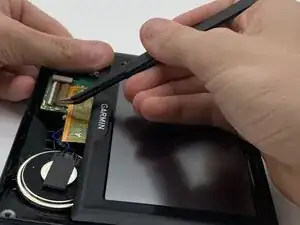
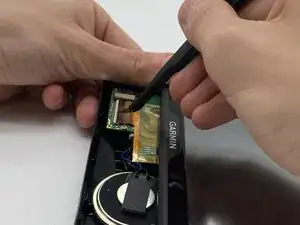
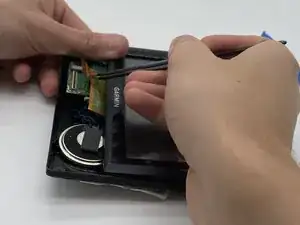
    • With tweezers, flip up the brown locking flap to release the ribbon cable.

    • Gently disconnect the yellow ribbon cable.

Jason Wade

Membro desde: 15/09/25

593 Reputação

0 comentários