Introdução
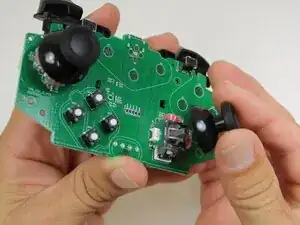
If your GameSir Nova Lite's joystick covers are damaged, loose, or unresponsive, this guide will walk you through how to replace them safely.
Power off the controller before you begin the repair guide to avoid damage to the device.
If your issue is stick drift, this guide does not correct that issue. Please visit this stick drift troubleshooting guide instead.
Ferramentas


-
-
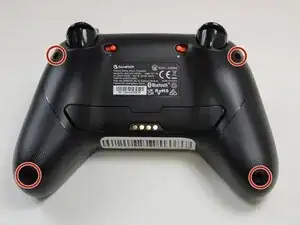
Use a Phillips #0 screwdriver to remove the four 8.5 mm screws from the bottom of the controller's casing.
-
-
-
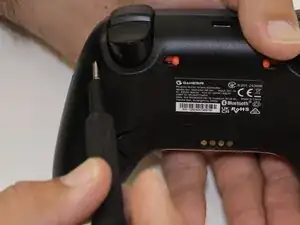
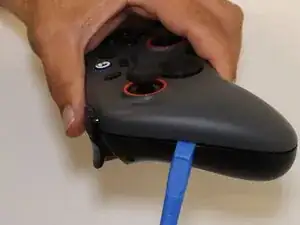
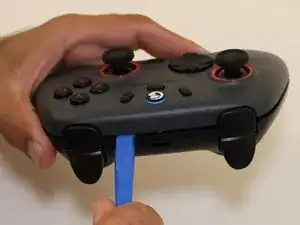
Insert an opening tool between the two halves to open the controller's casing.
-
Disconnect them by sliding the opening tool along the seam in the casing, applying continuous pressure.
-
Once you find a connector, apply increased pressure until you hear a snapping sound.
-
Repeat this process until all of the connectors are disconnected.
-
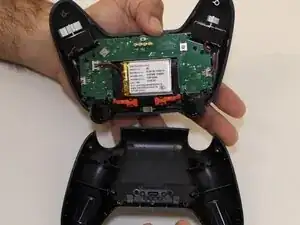
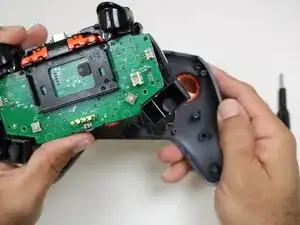
Separate the top and bottom of the controller case.
-
-
-
Set aside the bottom half of the shell.
-
Position the controller so that the motherboard is visible.
-
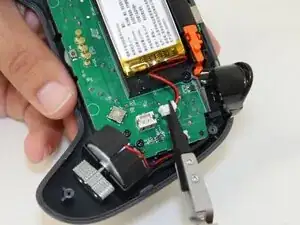
Use the point of a spudger to push on alternating sides of the battery connector to "walk" it out of its socket.
-
-
-
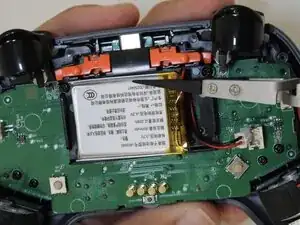
Use a spudger to loosen the tape securing the battery.
-
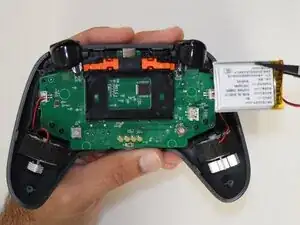
Remove the battery from the controller.
-
-
-
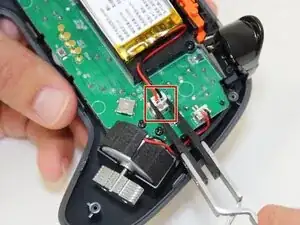
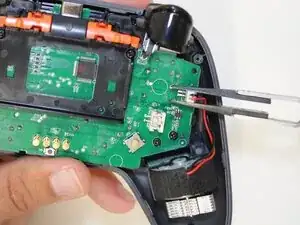
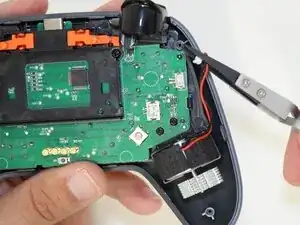
Push on alternating sides of the JST connector to release it from the socket on the circuit board.
-
If that doesn't work, use a pair of tweezers to firmly grip the sides of the connector and pull straight away from the socket. Hold the tweezers closer to the connector to get a better grip.
-
-
-
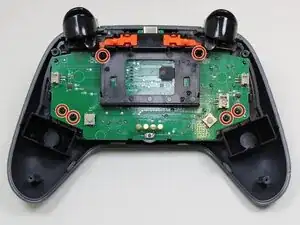
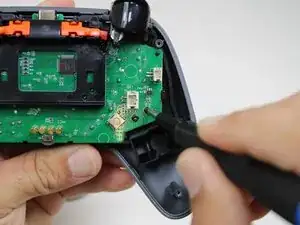
Use a Phillips #0 screwdriver to remove the six 5.5 mm screws securing the circuit board.
-
Use your hands or a spudger to separate the midframe that holds the motherboard from the outer shell.
-
-
-
Flip the controller around so the top is facing you.
-
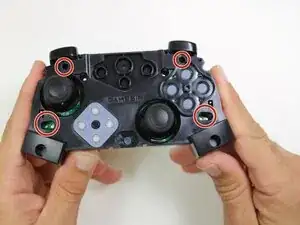
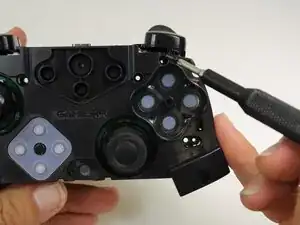
Remove the four 5.5 mm Phillips #0 screws from the top of the controller.
-
-
-
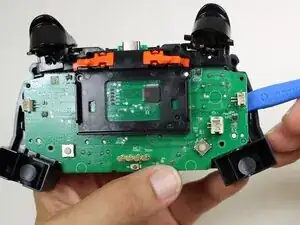
Insert an opening tool between the motherboard and the casing.
-
Carefully separate the motherboard from its casing.
-
-
-
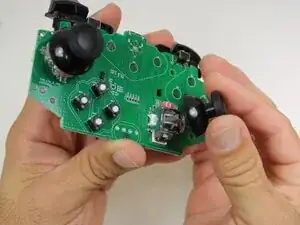
Flip the motherboard around so the joysticks are facing you.
-
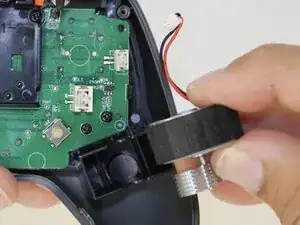
Pull the joystick covers off the Hall-Effect joysticks.
-
To reassemble your device, follow these instructions in reverse order. Take your e-waste to an R2 or e-Stewards certified recycler.