Introdução
A damaged daughterboard may cause a plethora of issues, such as rapid battery drain or the device not turning on. This guide contains the necessary steps for GameSIR G7 SE users to replace their daughterboard. Ensure the controller is powered off and removed from all power sources.
Ferramentas


-
-
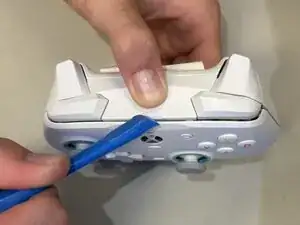
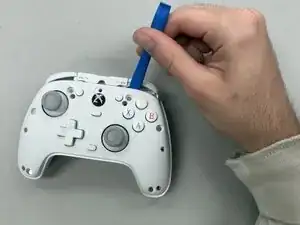
Wedge an opening tool into the seam between the face plate nad chassis at the top of the controller.
-
Lift the faceplate off of the controller.
-
-
-
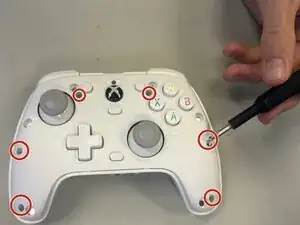
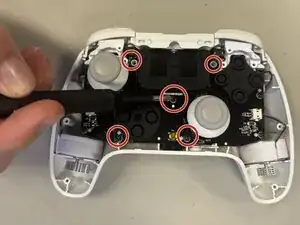
Remove the six 9.2 mm-long screws located around the face of the controller with a Phillips #0 screwdriver.
-
-
-
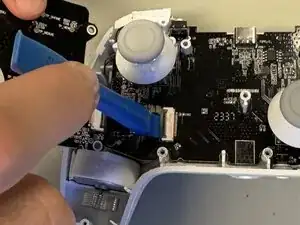
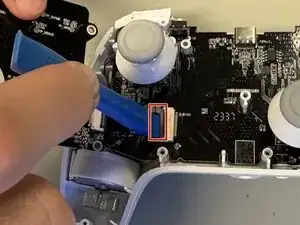
Wedge the spudger under the flap that is holding the daughterboard.
-
Lift the flap up with the spudger and take the daughterboard out.
-
To reassemble your device, follow the above steps in reverse order.
Take your e-waste to an R2 or e-Stewards certified recycler.
Repair didn’t go as planned? Try some basic troubleshooting or ask our Answers community for help.