Introdução

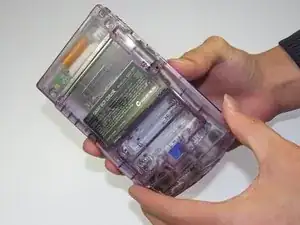
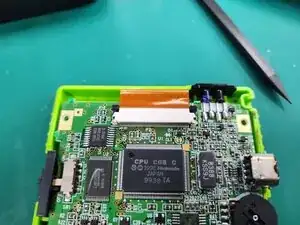
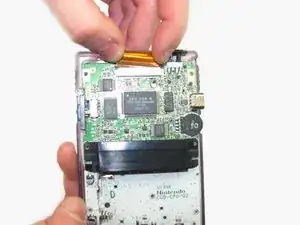
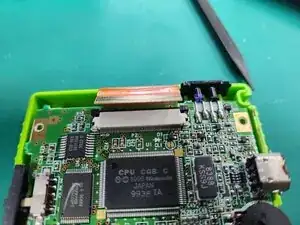
Removing the ribbon cable provides unhindered access to the inner workings of the Game Boy Color.

  1. c3LIxTjWvUGxcYZu
    c3LIxTjWvUGxcYZu
    oYIXQjPFhQsYx4cb
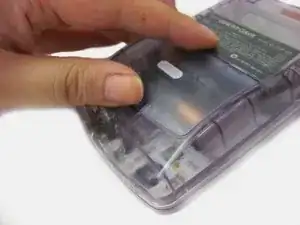
    • Locate the battery compartment on the back of the Game Boy Color.

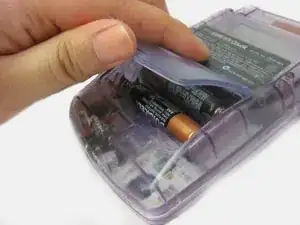
    • Push down on the tab and hinge the cover downwards and outwards to remove the battery cover.

  2. uFQGYmIMX2PCiLaG
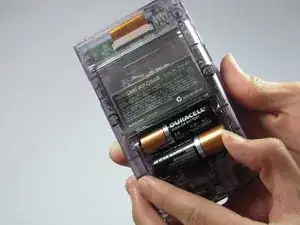
    • Remove the batteries from the battery compartment.

  3. DsXcimKolb1pBNXH
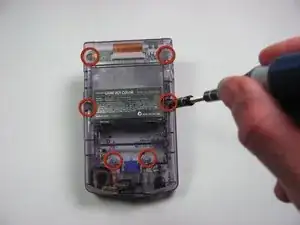
    • Using a Y1 screwdriver, remove the six screws on the back of the device as pictured. The bottom two screws are located inside of the battery compartment.

    I did this with a Y0 bit. It works if you are careful. I wouldn't recommend it on other consoles but for this tiny thing, it works.

    phnome -

    The guide says a Y0 is needed. Is it a Y1 or Y0?

    Trav -

    is it Y1 or Y0?

    Mike -

  4. RrHNVnA1jYSYLAMJ
    RrHNVnA1jYSYLAMJ
    aFVfBIhWWKMpEAKh
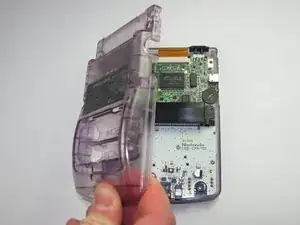
    • Gently lift and separate the back housing from the rest of the device. Now you've got the back housing out!

    am at my wits end. have a gb color model cgb-001. all videos for disassembly, they take the six screws out and gently remove the back casing without any issues at all. mine on the other hand has a purple piece of plastic in the cartridge slot, it looks like it is supposed to be there, but have not seen it on countless disassembly videos . if you try and take the case apart, this piece of plastic just wedges in the metal housing of the game slot, and the case will not come apart. any help? anyone....

    luckeyloser -

  5. QLlb11byBHORVS6F
    QLlb11byBHORVS6F
    dbyX1W2k4ZEPa5OB
    otLLRUcMTVogZcdE
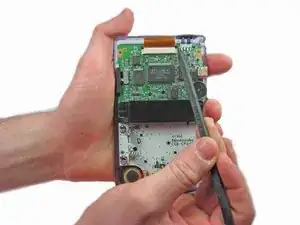
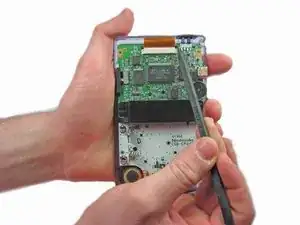
    • Push up on the tabs on either side of the ribbon with a spudger.

  6. qhFGO3C1pCyNBJNl
    qhFGO3C1pCyNBJNl
    IFvbxsBUYpLJXKjT
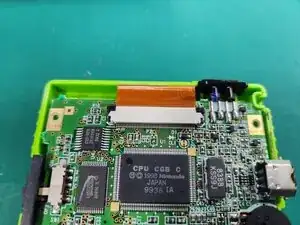
    • Gently remove the ribbon cable from the port

Conclusão

To reassemble your device, follow these instructions in reverse order.

Nick Katsantones

Membro desde: 18/01/13

1096 Reputação

Um comentário

How many pins are in the ribbon?

jakebrown199 -