Introdução
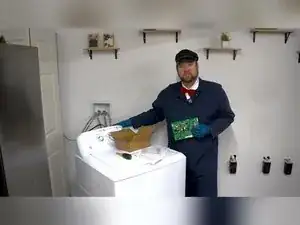
Replace the main control board when your GE top-load washer will not start and other components and wiring have tested good. Swapping the board restores function, but the new board must be programmed so the washer knows which features to enable. This guide walks you through safe removal, installation, initial programming, and reprogramming if you choose the wrong setting.
Ferramentas


Peças
-
-
Move the machine far enough from the wall to reach the rear console without straining hoses.
-
-
-
Use a quarter-inch hex head screwdriver to remove the two long vertical screws at the back of the console top.
-
-
-
Press inward on both console sides and push the assembly rearward to release the clips.
-
Swing the console up and toward you to expose the control board area.
-
-
-
Pull the small gray pressure hose off the board sensor to fully extend the console away from the chassis.
-
-
-
Slide the rear panel from left to right and lift it away to clear space around the control board.
-
-
-
Unplug each harness; sizes and colors differ so each connector only fits its matching socket.
-
-
-
Unscrew the four shallow quarter-inch hex screws securing the white plastic board cover.
-
Press the plastic tab at the upper corner and lift the cover off the board.
-
-
-
Pull the control knob straight off the console front to free the board shaft.
-
Lift the board off its four locator posts and set it aside.
-
-
-
Align the board’s knob shaft with the console hole and drop the board onto the four locator posts.
-
-
-
Snap the upper-corner tab into its slot and reinstall the four screws to lock the cover in place.
-
-
-
Plug each harness back into its matching connector using the photo as a guide.
-
Reconnect the gray pressure hose to the sensor nozzle on the board.
-
-
-
Lower the console, align the side posts with the top-panel slots, and press until the clips snap.
-
Reinstall the two long rear screws to secure the console housing.
-
-
-
Locate the model number under the lid and find the matching personality code in the GE programming PDF for board WH22X38441, WH22X38442, or WH22X38438.
-
Note the required console light pattern for your model.
-
-
-
Press the Start or Pause button repeatedly until the console lights match the pattern for your washer.
-
When the correct pattern appears, press and hold Start or Pause for 3–5 seconds to store the setting.
-
-
-
Unplug the washer briefly and reconnect power to start fresh.
-
Hold Start or Pause, rotate the control dial 180 ° counter-clockwise (about seven clicks), then release the button to enter diagnostics.
-
Wait for a relay click and flashing lights to confirm diagnostics mode.
-
Turn the dial clockwise two clicks until the Rinse light is on, then press Start or Pause to open personality selection.
-
Rotate the dial to cycle through light patterns and stop on the correct personality.
-
Press and hold Start or Pause for 3–5 seconds; all lights extinguish when the new setting is saved.
-
-
-
Run a normal cycle to confirm the washer starts, fills, agitates, drains, and spins correctly.
-
Your GE washer should now operate with the new board and correct personality settings. If any feature is missing, repeat the reprogramming steps to verify the personality code. Store the printed personality chart near the washer for future reference.
