Introdução

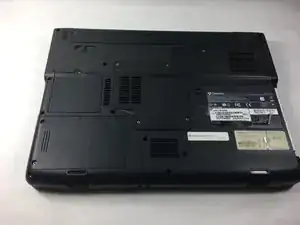
  1. Flip the laptop on to the backside.
    • Flip the laptop on to the backside.

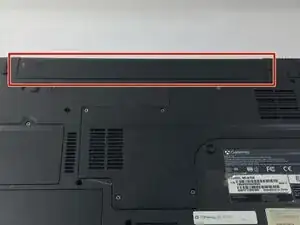
  2. oV6hhQDMJsl14tVn
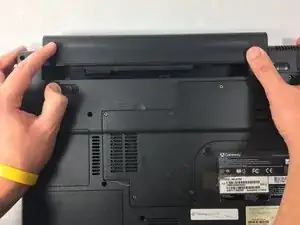
    • Locate the battery at the very top on the backside of the laptop.

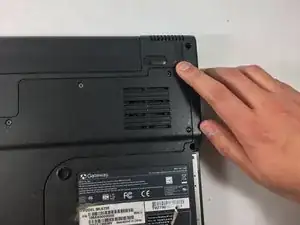
  3. 2jegZZHUDBG5vTXv
    • Slide the latch in the top right corner to the right, to set it to unlocked.

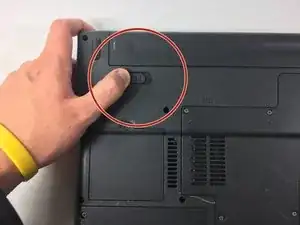
  4. kMG1kNkPbUMVBITr
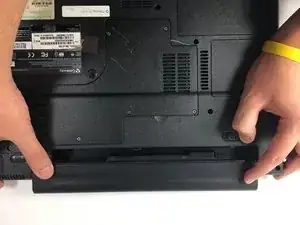
    • Hold the other latch in the top left corner to the left.

    • Hold it in that place with your thumb until the completion of the next step. (This step unlocks the second latch.)

  5. ZjbQqmVNx6Fwrgfb
    • With both latches unlocked you can now slide out the battery, by pushing it off the top.

Conclusão

To reassemble your device, follow these instructions in reverse order.

Nathan Da Silva

Membro desde: 19/10/16

416 Reputação

0 comentários