Introdução

  1. dG4Qy1W6xdvvjOfm
    dG4Qy1W6xdvvjOfm
    RZwJYDUWfdkx5pJa
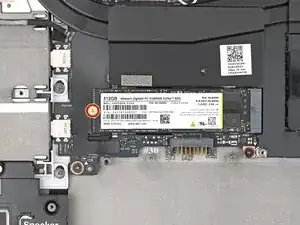
    • Use your Framework Screwdriver to remove the 2 mm‑long T5 Torx screw securing the SSD.

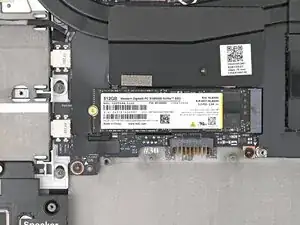
    • The SSD might pop up at a shallow angle when you remove the screw.

  2. xZuiYJlgwmgUPNTi
    xZuiYJlgwmgUPNTi
    5mUvEEUZw1XAYrFH
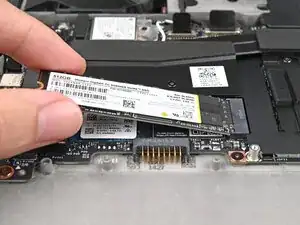
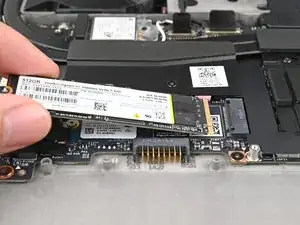
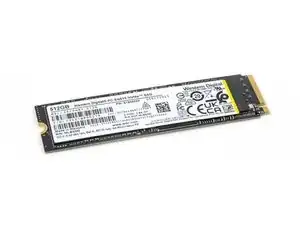
    • Grip the end of the SSD with the screw hole and slide it out of its socket.

    • Remove the SSD.

Conclusão

To reassemble your device, follow these instructions in reverse order.

Take your e-waste to an R2 or e-Stewards certified recycler.

Repair didn’t go as planned? Try some basic troubleshooting, or ask our Answers Community for help.

Alex Diaz-Kokaisl

Membro desde: 16/01/22

227430 Reputação

0 comentários