Introdução
Ferramentas

-
-
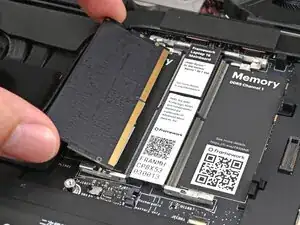
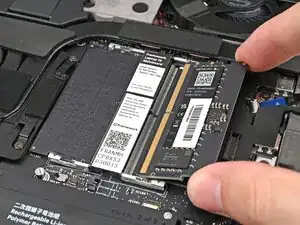
Orient the module with its label facing down and align the gold contacts with the left socket labeled DDR5 Channel 0.
-
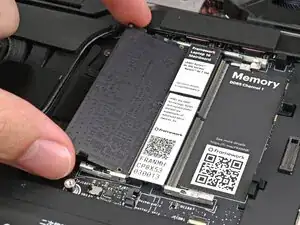
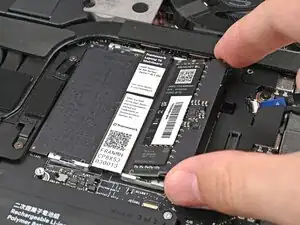
Insert the contact edge into the socket at a shallow angle. The gold contacts should mostly be covered by the socket.
-
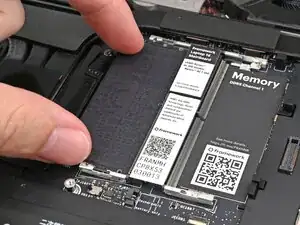
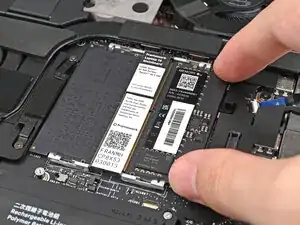
Press the edges of the module down until the side clips lock it in place.
-
-
-
Repeat the previous step for the other socket labeled DDR5 Channel 1, except orient the module so its label is facing upward.
-
Conclusão
To reassemble your device, follow these instructions in reverse order.
Take your e-waste to an R2 or e-Stewards certified recycler.
Repair didn’t go as planned? Try some basic troubleshooting, or ask our Answers Community for help.
