Introdução

  1. t3rhQtnx1reGiOPJ
    t3rhQtnx1reGiOPJ
    BHRSmevuTuiVNvBw
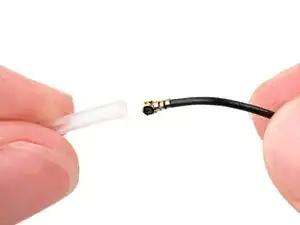
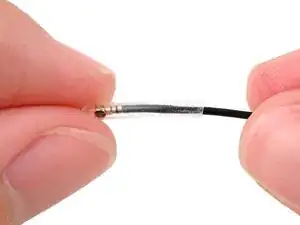
    • If your replacement antenna cables have rubber sheaths, remove them now.

  2. BjSCTpMMJxYTWOO1
    BjSCTpMMJxYTWOO1
    Q6rcMEQ1uTWO6enf
    wWi4aYhE6lWWdR6D
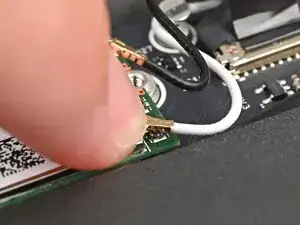
    • Hold the Wi-Fi module down with your finger.

    • Position the white antenna cable connector over the left Wi-Fi module's coaxial socket.

    • If you're unsure which cable goes where, refer to the arrows on the Wi-Fi module for which color cable matches with its connector.

    • Tweezers can help position the connector.

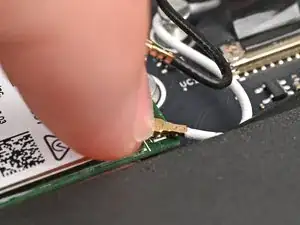
    • Use your finger to press the connector into place. You should feel a faint click, and the cable will stay attached to the socket by itself.

    • These connectors are very delicate! If the connector doesn't feel like it's clicking in place, reposition the connector and try again.

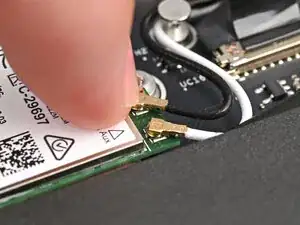
    • Repeat the procedure with the black antenna cable.

  3. 5fwEQhuQLLkCoV41
    5fwEQhuQLLkCoV41
    kxIs2q2AfRQJYZ3I
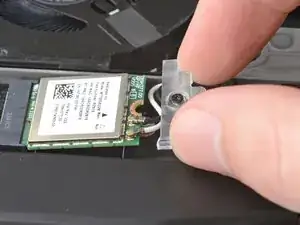
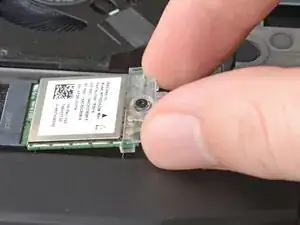
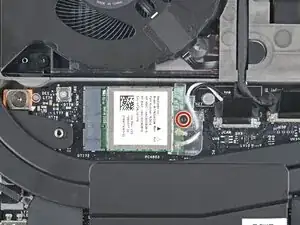
    • Slide the clear plastic cover on the module and align its screw with the screw hole cutout.

  4. ZraR5hRvK1scuQ4B
    • Use your Framework Screwdriver to tighten the captive T5 Torx screw securing Wi-Fi module.

Conclusão

To reassemble your device, follow these instructions in reverse order.

Alex Diaz-Kokaisl

Membro desde: 16/01/22

227430 Reputação

0 comentários