Introdução

  1. uFV1SWmPwdrNd2Cr
    uFV1SWmPwdrNd2Cr
    rYNMSVx61nA4Z2Od
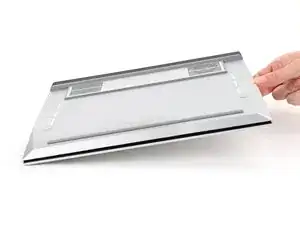
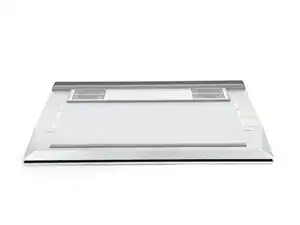
    • Close the laptop and flip it over.

  2. EBpjjGNOq4wkkZpM
    EBpjjGNOq4wkkZpM
    DO1eNcNkpLWbmLAs
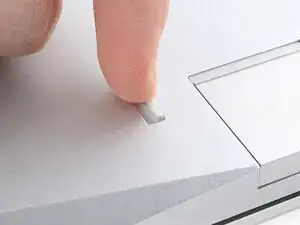
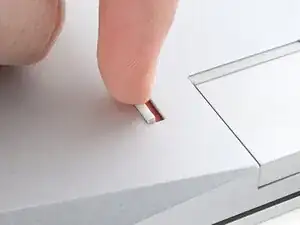
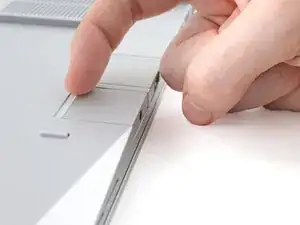
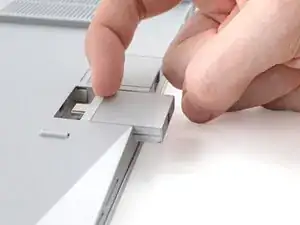
    • Use your finger to flip the Expansion Card latches into the unlocked position.

    • The latch displays a red bar when it's unlocked.

  3. qUx6qjZBfyPQ6Edp
    qUx6qjZBfyPQ6Edp
    kIFwxTgJDZXWIq1u
    3NqnLjPYuRVOnUhE
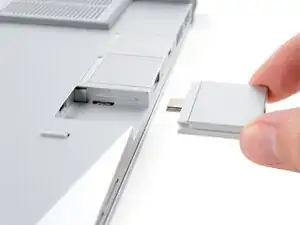
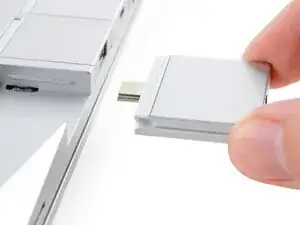
    • Grip the lip of the Expansion Card with your fingers.

    • Pull the Expansion Card out of its slot and remove it.

    • This might take some initial force. If you're having trouble, make sure the locking tab is properly unlocked.

    • Repeat for all remaining Expansion Cards.

Conclusão

If you need help, contact Framework support.

Alex Diaz-Kokaisl

Membro desde: 16/01/22

227430 Reputação

0 comentários