Introdução

  1. iEs6VKFOkyM4NNCi
    iEs6VKFOkyM4NNCi
    2hOtgBBYDiSKmnRI
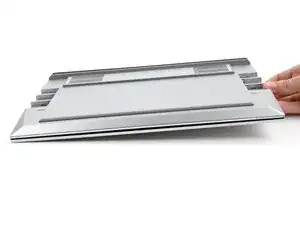
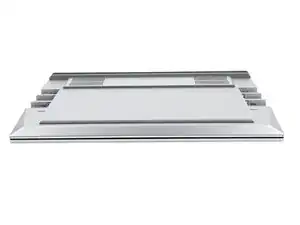
    • Close the laptop and flip it over.

  2. qpDuiK2sEjLdVDiE
    qpDuiK2sEjLdVDiE
    n1mKADaHXEyTVKC6
    bmfsPhStROdf2CbS
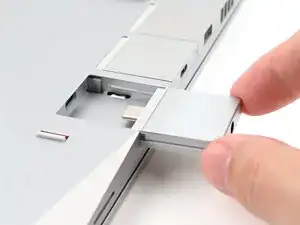
    • Slide an Expansion Card into an Expansion Card slot.

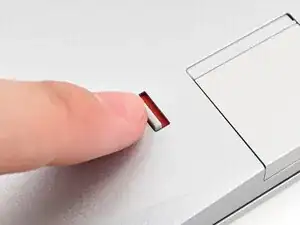
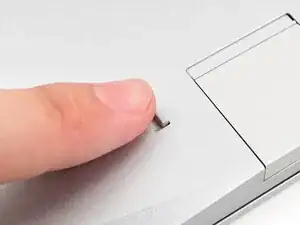
    • You don't need to unlock the latch to install the Expansion Cards—only when you want to remove them.

    • The Expansion Cards should click into place, and the front edge should be flush with the laptop.

    • Repeat for all remaining Expansion Cards.

  3. qMfBbabm2wLgpdQJ
    qMfBbabm2wLgpdQJ
    1rtOWyvkfisACuOU
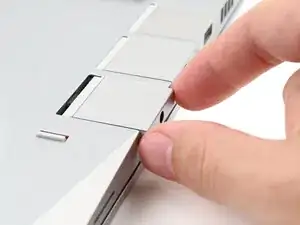
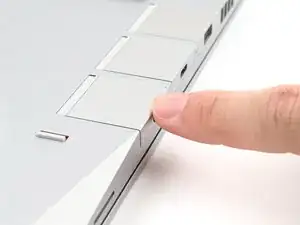
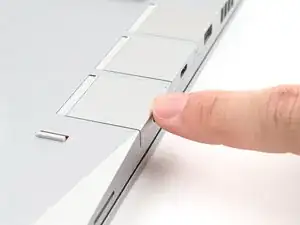
    • Use your finger to flip both latches and lock the row of Expansion Cards above them.

Conclusão

If you need help, contact Framework support.

Alex Diaz-Kokaisl

Membro desde: 16/01/22

227430 Reputação

0 comentários