Introdução
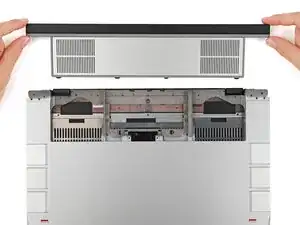
Use this guide to remove the expansion bay in your Framework 16" laptop.
Ferramentas

-
-
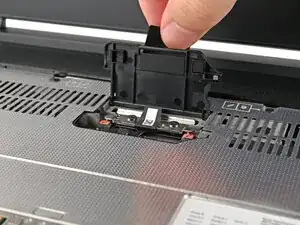
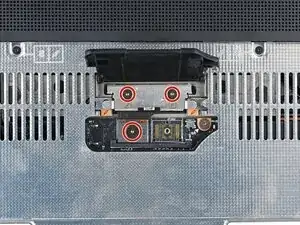
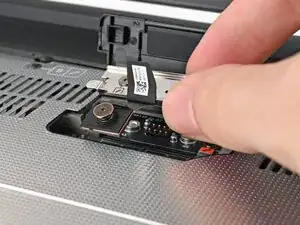
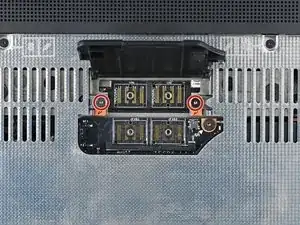
Use your Framework Screwdriver to loosen the three captive T5 Torx screws securing the interposer.
-
-
-
Use your Framework Screwdriver to loosen the two captive T5 Torx screws securing the Expansion Bay Shell.
-
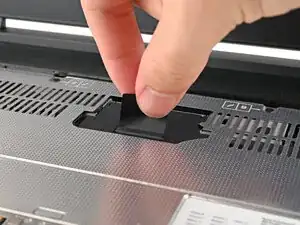
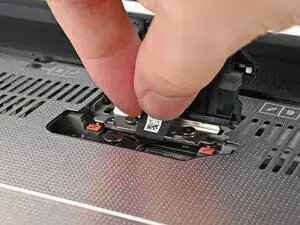
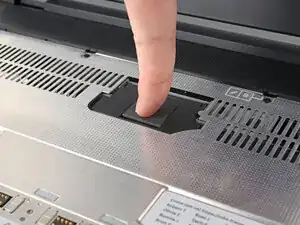
Close the interposer door before continuing.
-
-
-
Close your laptop and flip it over.
-
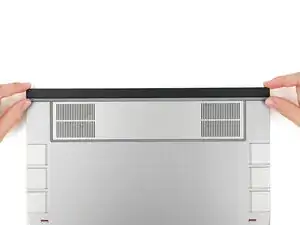
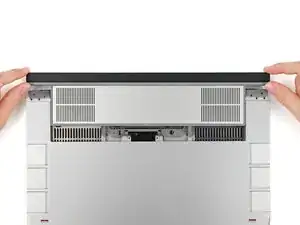
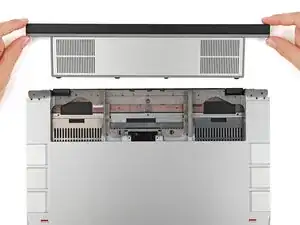
Slide the Expansion Bay Shell out of the laptop and remove it.
-
Conclusão
To reassemble your device, follow these instructions in reverse order.
Repair didn’t go as planned? Try some basic troubleshooting, or ask our Answers Community for help.
