Introdução

  1. dAie51S1T41AtYm1
    dAie51S1T41AtYm1
    XKgQYLlDti1vc2ue
    bfM6WpNdrrtIVbN3
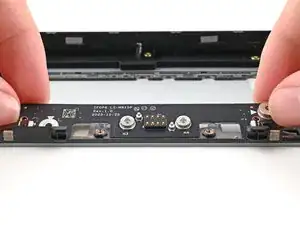
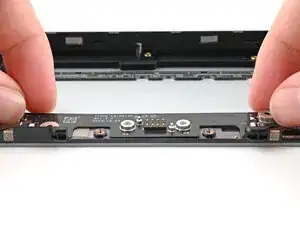
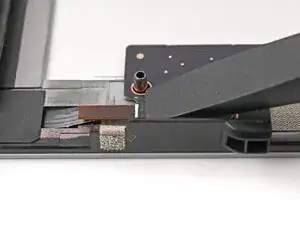
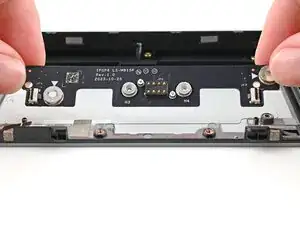
    • Place the board straight on its alignment pegs on Expansion Bay Shell.

  2. gcK6AFSGRRhMVNET
    gcK6AFSGRRhMVNET
    CjWuDm3SIa5tfABt
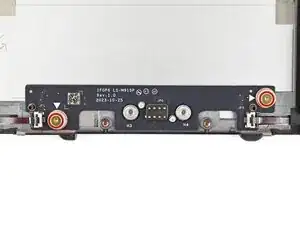
    • Use your Framework Screwdriver to install the two 3.6 mm‑long screws securing the Expansion Bay Shell Fan Board.

  3. nEYOVGYm3CE65TOi
    nEYOVGYm3CE65TOi
    q4fMSxUYiMY1PaTx
    GjbWqmhBLHXfeCXm
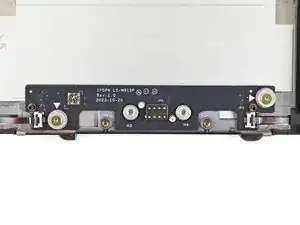
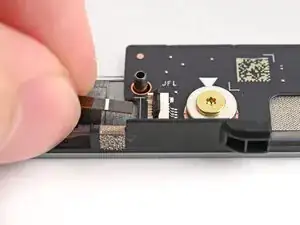
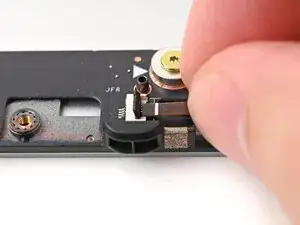
    • Use your fingers to grip the brown pull tab and slide the left fan cable straight into its socket.

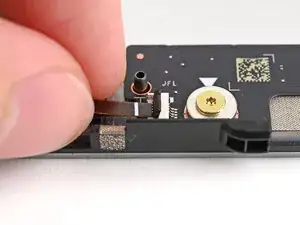
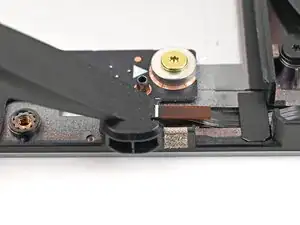
    • Use the flat end of your Framework Screwdriver, or a clean fingernail, to press down the locking tab on the left fan ZIF connector.

  4. JdWmILx11AMUm6oX
    JdWmILx11AMUm6oX
    TCHJcFA2DNIFVr5R
    pNlJPfgfGScPFGWj
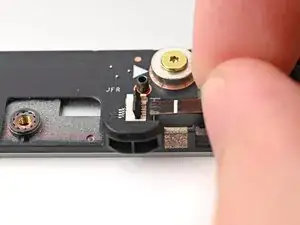
    • Repeat the previous step to connect the right fan cable.

Conclusão

To reassemble your device, follow these instructions in reverse order.

Alex Diaz-Kokaisl

Membro desde: 16/01/22

227430 Reputação

0 comentários