Introdução

  1. EtSaUuSaQH5iY2yw
    EtSaUuSaQH5iY2yw
    5nXpBBEoOKrrrvIu
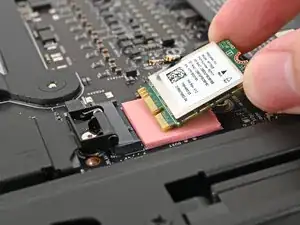
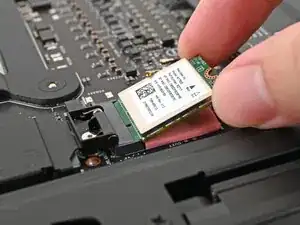
    • Hold the Wi-Fi module by its edges. Don't touch the gold contacts with your fingers. If you do, wipe the contacts with a clean, lint-free cloth to remove any finger oils.

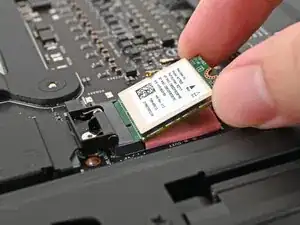
    • Align the Wi-Fi module's gold contacts and notch with the socket on the Mainboard.

    • Insert the Wi-Fi module into the socket at a shallow angle. The gold contacts should mostly be covered by the socket.

    • The Wi-Fi module fits into the socket in one orientation. If it doesn't fit, try flipping the module.

  2. TVTPGjIOvlmnrDDW
    TVTPGjIOvlmnrDDW
    cQJlt3M4CeUFXLjq
    qPWf53uyfeeSoMDQ
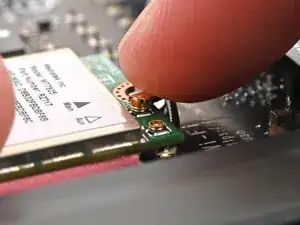
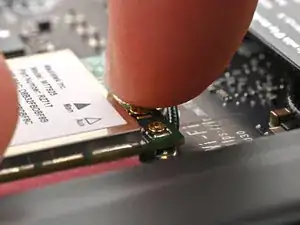
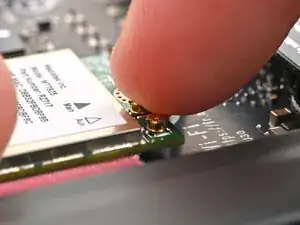
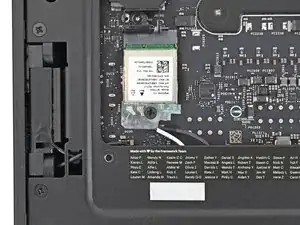
    • Hold the Wi-Fi module down with your fingers.

    • Position the black antenna cable connector over the left Wi-Fi module's coaxial socket.

    • Tweezers can help position the connector.

    • Use your finger to press the connector into place. You should feel a faint click, and the cable will stay attached to the socket by itself.

    • These connectors are very delicate! If the connector doesn't feel like it's clicking in place, reposition the connector and try again.

    • Repeat the procedure with the white antenna cable.

  3. wvwFcTBUVaKYFVg1
    wvwFcTBUVaKYFVg1
    Dp2gVGTuW5ddcTTe
    PIR1B6cYBYLfkNKO
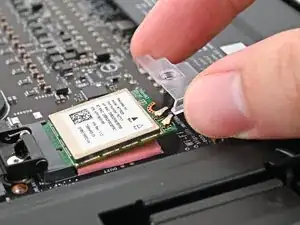
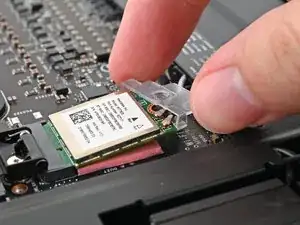
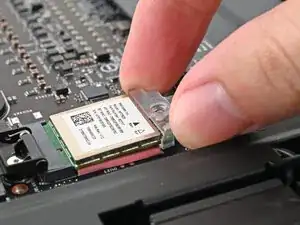
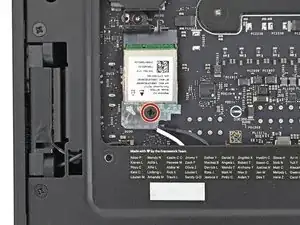
    • Hook the Wi-Fi bracket over the corner of the Wi-Fi module opposite the antenna cables.

    • Rotate the bracket over the Wi-Fi module, making sure the screw hole isn't being obstructed by the antenna cables.

  4. dE3IQW6pmAydq4sh
    dE3IQW6pmAydq4sh
    JSGyVuE1KSSTKYWF
    • Use your Framework Desktop Screwdriver to install the screw securing the Wi-Fi module.

Conclusão

To reassemble your device, follow these instructions in reverse order.

Alex Diaz-Kokaisl

Membro desde: 16/01/22

227430 Reputação

0 comentários