Introdução

  1. ULuSoOBCSsKZmME1
    ULuSoOBCSsKZmME1
    6AuZfAhcMsfmIEEG
    JkleUhEP4rsBIFOQ
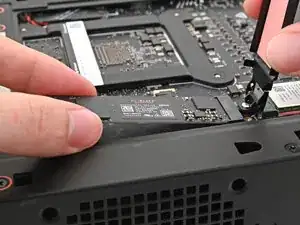
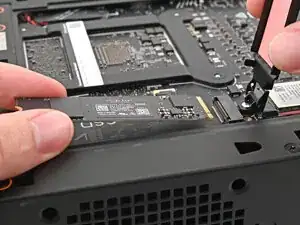
    • Hold the SSD by its edges. Don't touch the gold contacts with your fingers. If you do, wipe the contacts with a clean, lint-free cloth to remove any finger oils.

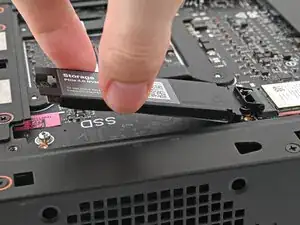
    • While holding the SSD heat spreader upright, align the SSD's gold contacts with its socket.

    • Insert the SSD into the socket at a shallow angle. The gold contacts should mostly be covered by the socket.

    • The SSD fits into the socket in one orientation. If it doesn't feel like it fits, try flipping the module.

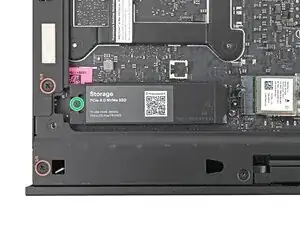
    • Lay the heat spreader back onto the SSD.

  2. XPyg2hDKWFAFbQTk
    • Use your Framework Desktop Screwdriver to tighten the captive T5 Torx screw securing the SSD.

  3. ro3RhuN2wkoZLrtO
    ro3RhuN2wkoZLrtO
    L14eIZBwuvPbCrQT
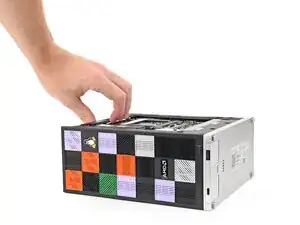
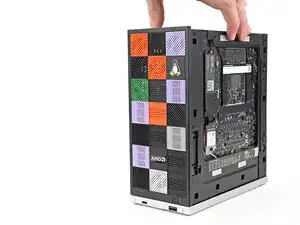
    • Lift the Desktop so it sits upright on your work surface.

Conclusão

To reassemble your device, follow these instructions in reverse order.

Alex Diaz-Kokaisl

Membro desde: 16/01/22

227430 Reputação

0 comentários