Introdução

  1. A3PNtPcbjdPMXXJN
    A3PNtPcbjdPMXXJN
    xAsOo5IUBH6GHVvj
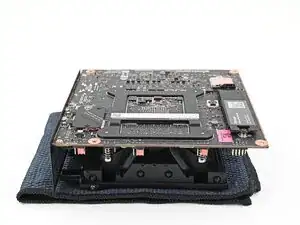
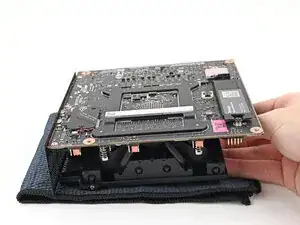
    • Place the Mainboard on your work surface with its heatsink resting on a soft, clean cloth.

  2. Do3sFlHeB13drXd4
    Do3sFlHeB13drXd4
    OkQktpF2hAghPIxE
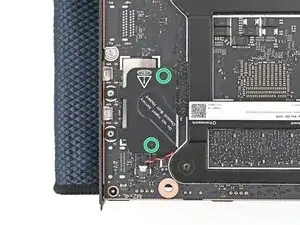
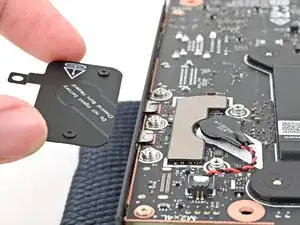
    • Use your Framework Desktop Screwdriver to loosen the two captive T5 Torx screws securing the RTC battery cover.

  3. qbneETYBWitUBRGq
    qbneETYBWitUBRGq
    BjSxiF2UInGW1oQn
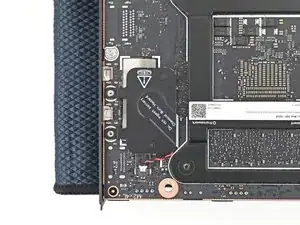
    • Lift the RTC battery cover off the Mainboard and remove it.

  4. dpmNeVVIZCyCKet2
    dpmNeVVIZCyCKet2
    MsJi2B1IVJ4xxBD6
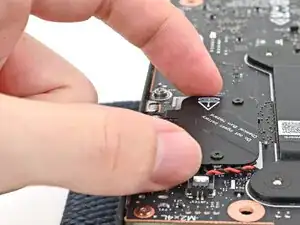
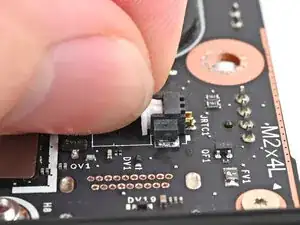
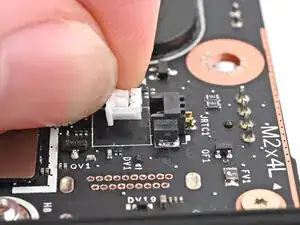
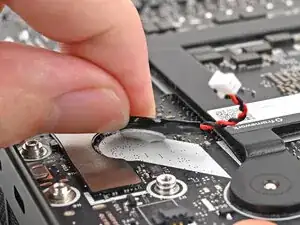
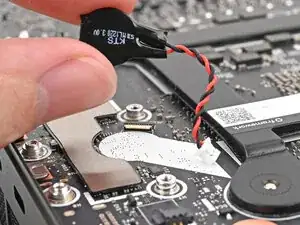
    • Grip the RTC battery connector and pull it straight out of its socket to disconnect it.

    What type of connector is this? What's the exact type of battery it should be replaced with?

    patronics -

  5. JNqZ5xYVsvcXUf3r
    JNqZ5xYVsvcXUf3r
    6yXjqOWEaZCahWjQ
    W1uAamVE4UssT2gl
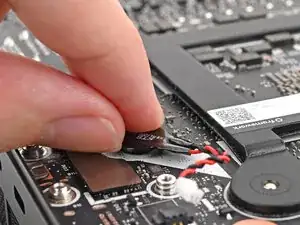
    • The RTC battery is lightly adhered to the Mainboard.

    • Use your fingers to peel the RTC battery off the Mainboard and remove it.

Conclusão

To reassemble your device, follow these instructions in reverse order.

Alex Diaz-Kokaisl

Membro desde: 16/01/22

227430 Reputação

0 comentários