Introdução

  1. ZvH4ixnvCBYhcsM5
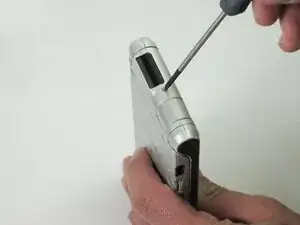
    • Unscrew the 1.9mm screw located at the top of the device with a Phillips #00 screwdriver.

    • It may be helpful to set up a piece of paper to keep track of where removed screws came from.

  2. o5mogCLbcwAcRSXC
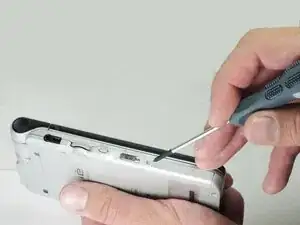
    • Unscrew the 2.5mm screw located on the left side of the device with a Phillips #00 screwdriver.

  3. 2KnaoVRq5gtqPSfL
    2KnaoVRq5gtqPSfL
    WaFRgGR1GNCf2LfQ
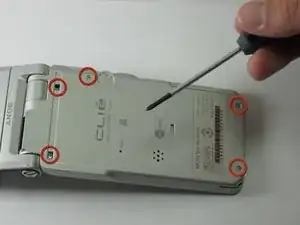
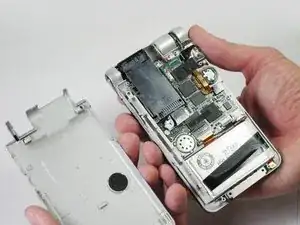
    • Unscrew the five 2.5mm screws on the back panel with a Phillips #00 screwdriver.

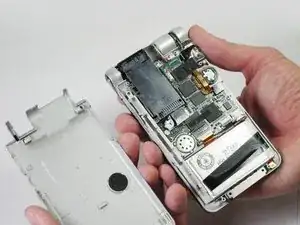
    • Remove the back panel by lifting it away with your hands.

Conclusão

To reassemble your device, follow these instructions in reverse order.

Daniel Soski

Membro desde: 19/04/13

63 Reputação

0 comentários