Introdução
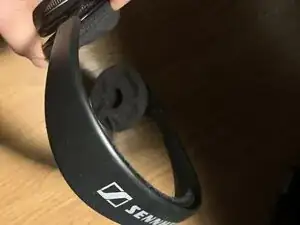
Clunk. Every time I tilted my head while wearing my Sennheiser headset, I heard a clunk in my left ear. Something was loose on the left side of my headset. It was another opportunity to write an iFixit repair guide.
The Sennheiser PC-166 was sold as a gaming headset. It is no longer in the manufacturer's product lineup. It features over-the-ear cushions and a microphone at the end of a swiveling boom. Controls include an in-line volume potentiometer and an on/off switch for the microphone.
Disassembling one of the headset speakers is a fairly simple procedure. I only document it because it isn't obvious how to do this. The first disassembly technique I tried didn't work, but a more brute force attempt was effective.
Ferramentas
-
-
The earpiece is covered by a thin piece of coated cloth, held on by a hidden elastic band. Pull on the edge of this cover to remove the edge from the slot. The cover comes off easily.
-
-
-
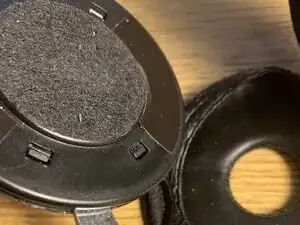
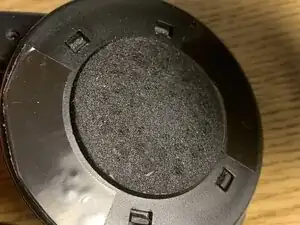
The earpiece consists of two halves, held together by 4 plastic prongs. If you are like me, you will be tempted to depress each of these prongs separately or in pairs, but I found that this didn't work.
-
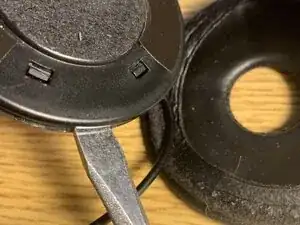
Instead, place a large flat bladed screwdriver into the slot that held the earpiece cover, near one of the four plastic prongs. Twist slightly. The tooth on the plastic prong should recede in the inward direction, and eventually release. I have done this several times and never broke a prong, but if you do, you can always glue the cover back on.
-
Repeat the same procedure on each one of the plastic prongs. Once all of the plastic prongs are released, carefully separate the cover from its base.
-
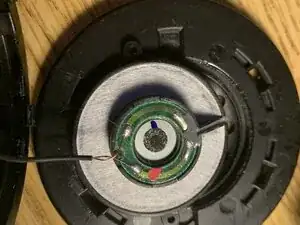
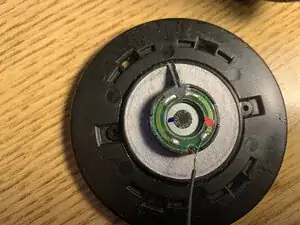
This exposes the headphone speaker. As it was the cause of the rattling sound, it will be loose between the cover and base. Note that the speaker is connected to delicate wires. Take care not to put strain on the wires, so they remain attached to the speaker.
-
-
-
The speaker is held in place on the earpiece cover, by a thin bead of glue and the friction of two small plastic ears. Probably, the glue broke when you dropped your headset. Apply a new thin layer of glue to the perimeter of the speaker, then press these ears firmly into the indentations on the earpiece cover.
-
Reassemble Pop the 4 plastic prongs back into place, and snap the cover back into the base. Put the earpiece cover back onto the earpiece.
-
-
-
Test your work. Tilt the headset back and forth, to confirm that the speaker no longer clunks. If it still clunks, reopen the earpiece and try again, adding more glue the speaker's perimeter, and let it dry for a longer time before you reassemble.
-
That should do it. Your headset should now be clunk-free.