Introdução
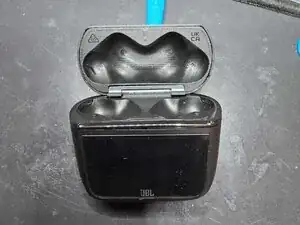
I've disassembled my JBL Tour Pro 3 case due to it acquiring some water damage.
The touchscreen connection ended up breaking but I couldn't get it to work either way.
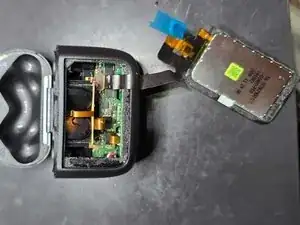
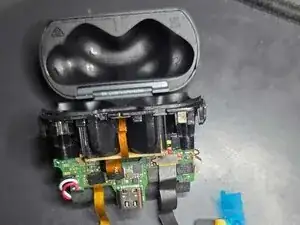
So for those more experienced with these kind of repairs, here's what the insides look like and how to tear it open with limited damage.
Be careful with the touchscreen!


-
-
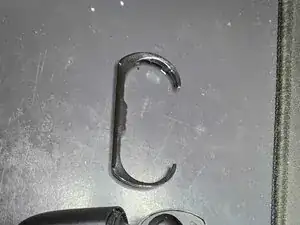
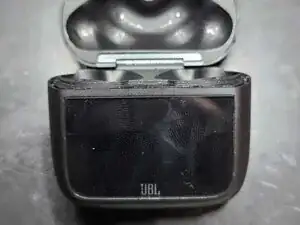
Now that the ring is off, heat up the touchscreen to loosen the adhesive behind it
-
Remove the touchscreen by using a prying pick to get in between the buds crevices and the touchscreen and pry it open just enough to press another pick in between the touchscreen and the case .
-
Use some isopropal alcohol to desolve the adhesive
-
-
-
Pry out the insides by using the prying picks in between the sides
-
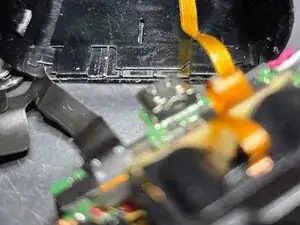
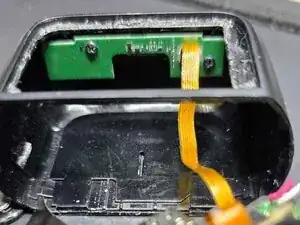
Be careful for there is a cable attached to a daughter board which is screwed down at the bottom of the case.
-
To reassemble your device, follow these instructions in reverse order.
