Introdução
Pré-requisito interno. Desconexão da bateria.
-
-
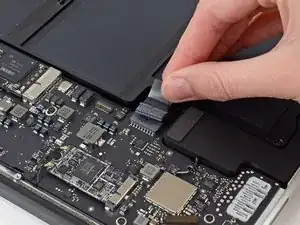
Pegue a aba de plástico transparente presa ao conector da bateria e puxe-a paralelamente à placa, em direção à borda da frente do Air.
-
Conclusão
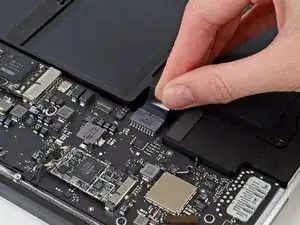
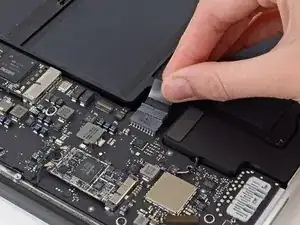
Para remontar o dispositivo, siga estas instruções na ordem inversa.

after disconnect the battery, press and hold 5*10 seconds the powerbutton on your keyboard to unload the capacitors
Marcel -
how does a person put the battery connector back in?- that is the only thing i’m afraid of touching after putting new fan in.
a smith -
I found it was possible to put the battery connector back in as the last step, however having gone through that and found it to be a little challenging, I would actually recommend attaching the battery connector before screwing back in the bracket. That way you’ll put a lot less stress on the connector cable.
Kevin Epstein -
When you are plugging the connector back in, make sure to give it some extra pressure to make sure it is all the way in. It may look like it’s in but needs to be pushed harder!
Connor Dougherty -
After disconnecting the power, you may skip directly to step 18. I don’t know why someone would think it necessary to disconnect all the other stuff. There is no need whatsoever to do so. The more things you disconnect, the more things you risk damaging. Many of the parts in steps 4 through 17 are quite delicate, and easy damaged.
The screw in step 18 is easily accessed without removing even the rubber gasket. Regarding step 18, only remove the screw. (This screw is rather long, with long threads.)
It’s helpful to take photographs of this area before removing the screw, so you’ll know what it’s supposed to look like when you put it back together.
AnnoniMoose -
There are only 16 steps in this repair process. I wonder whether you are commenting on a different repair.
Gyandev -
What if your battery doesn’t have that clear tab?
Carla Tisdale -
Yep, exactly the issue that I have
Martin Adams -
Unscrew the battery first, then let the cable flex out a little. Use a spudger or small pick to push the connector out from the board.
Nathan -
Where can i buy the battery connector?
Bernie-Khay Dabu -
Macbook air 2015 battery connector where can I purchase?
Bernie-Khay Dabu -
Connector socket came off, can I just glue it into place?
Lisa Mac -