Introdução

This guide will show you how to replace the battery.

  1. EJl1FbUQvu54pEmf
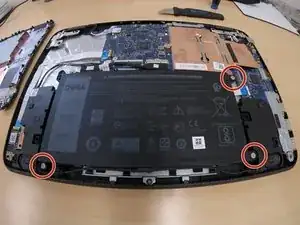
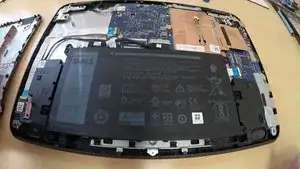
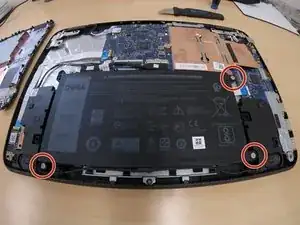
    • Remove the 3 battery screws with a phillips #00 screwdriver.

  2. Remove the battery from the motherboard extension connector
    • Remove the battery from the motherboard extension connector

Conclusão

To reassemble your device, follow these instructions in reverse order.

Jon

Membro desde: 18/08/13

3972 Reputação

0 comentários