Introdução
If you are looking to upgrade or replace the HDD (Hard Disk Drive) of your Dell XPS 15 9560, this guide will detail the steps to do so.
Some laptops use a combination of an HDD and an SSD (Solid State Drive) or either one for their memory storage. HDDs are larger than SSDs and operate using a physical spinning disk to read data, akin to a vinyl record. SSDs do not have any moving parts and are much smaller.
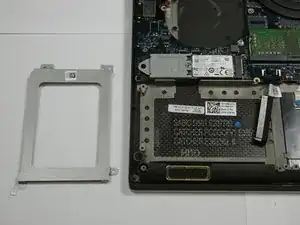
This guide will instruct on how to remove the hard drive bracket that houses the laptop’s hard disk drive.


-
-
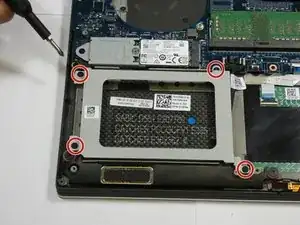
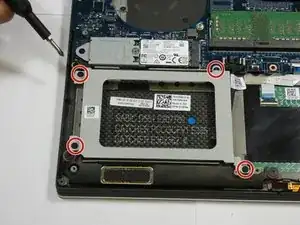
Using a Phillips #0 screwdriver, remove four 4.0 mm screws of the hard drive bracket.
-
Unplug the hard drive cable.
-

Conclusão
To reassemble your device, follow these instructions in reverse order.