Introdução
There are several reasons why you may want to exchange the SSD in your Dell XPS 13 9370. The main reason is to have greater storage capacity on your device. Another would be for a failed SSD. By replacing the SSD, you can improve the total storage capacity and even improve loading speeds of the device from using a new drive with faster read and write speeds. Note that after replacing the SSD, you will lose all your data on the device and will have to reinstall Windows.


-
-
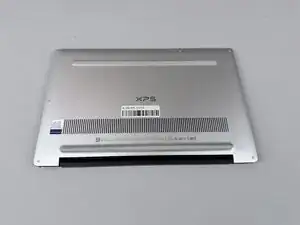
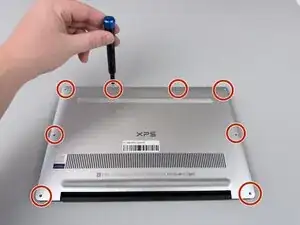
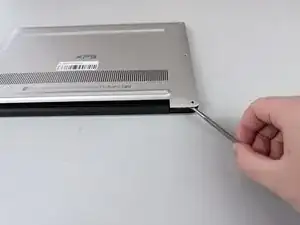
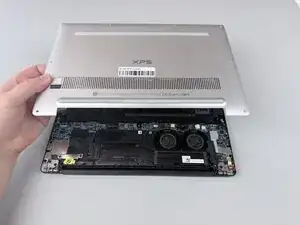
Insert a spudger into the seam between the back panel and the computer frame.
-
Pop the back panel out of place and remove it.
-
-
-
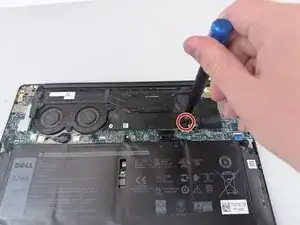
Remove the 3.4 mm screw from the SSD cover plate using a Phillips #000 screwdriver.
-
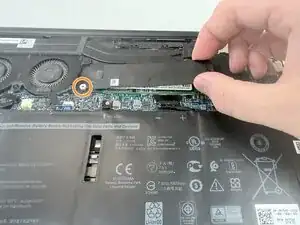
Grab the SSD cover plate and slide it off of the retention post.
-
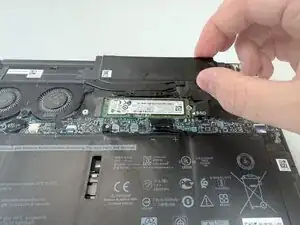
Remove the SSD cover plate to expose the SSD.
-
-
-
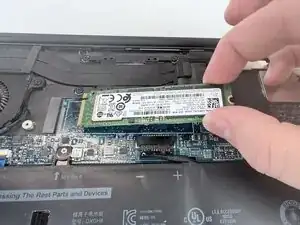
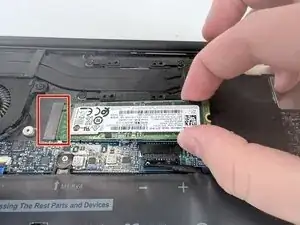
The SSD is plugged into the M.2 connector slot.
-
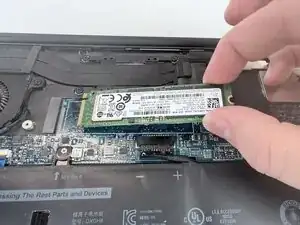
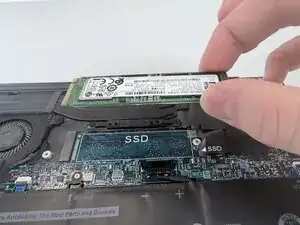
Grab the SSD on both sides and pull it out of the slot.
-
To reassemble your device, follow these instructions in reverse order.