Introdução
If your Dell XPS 13 9370 is constantly overheating or shutting down unexpectedly, you may need to replace the heat sink. The heat sink helps to disperse the heat away from the CPU and other key components to maintain safe operating temperatures. A damaged or clogged heat sink can cause the system to overheat and reduce performance. Replacing the heat sink can improve cooling efficiency, prevent further overheating, and extend the life span of the device.


-
-
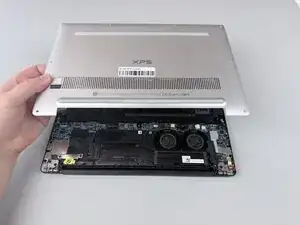
Insert a spudger into the seam between the back panel and the computer frame.
-
Pop the back panel out of place and remove it.
-
-
-
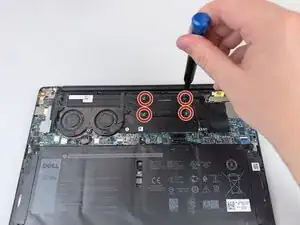
Remove the four 3.4 mm screws using a Phillips #000 screwdriver.
-
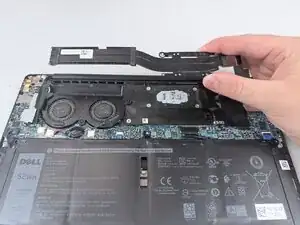
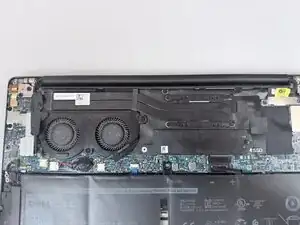
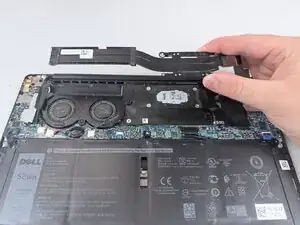
Slide the heat sink out and remove it from the frame.
-



To reassemble your device, follow these instructions in reverse order.