Introdução
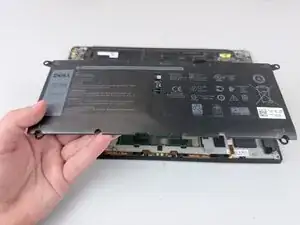
If you are experiencing issues with the battery in your Dell XPS 13 9370 such as overheating or the device not charging, you may need to replace the battery.


-
-
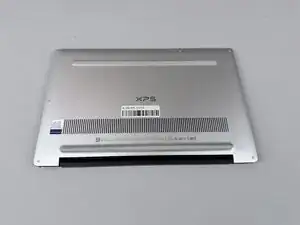
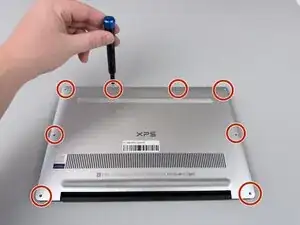
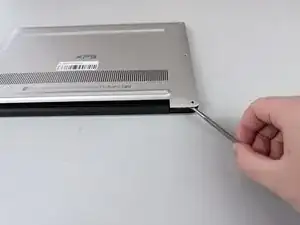
Insert a spudger into the seam between the back panel and the computer frame.
-
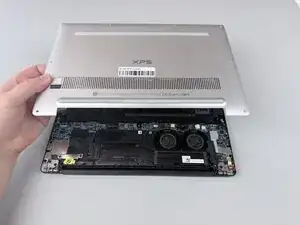
Pop the back panel out of place and remove it.
-
-
-
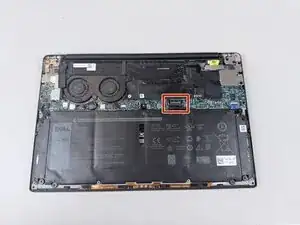
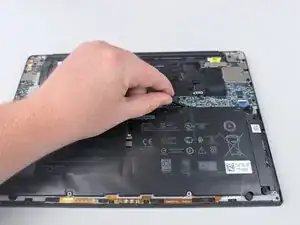
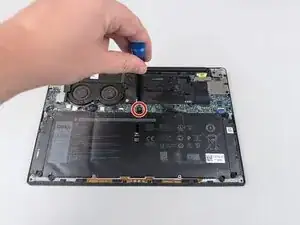
Remove the silver 4 mm screw from the top of the battery using a Phillips #000 screwdriver.
-
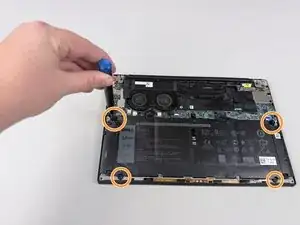
Remove the four black 2 mm screws holding in the battery along the edges using a Phillips #1 screwdriver.
-
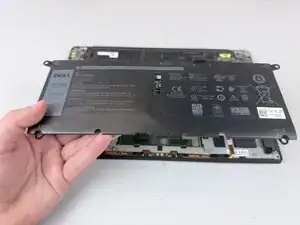
Lift the battery out of the laptop.
-
Conclusão
To reassemble your device, follow these instructions in reverse order.