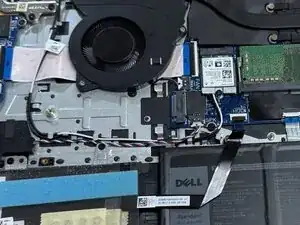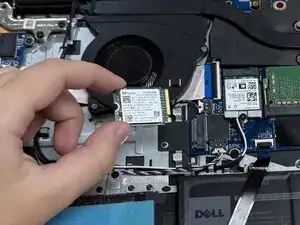
Introdução

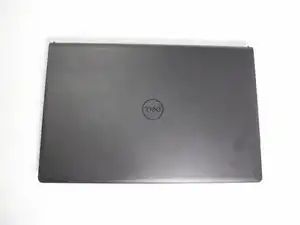
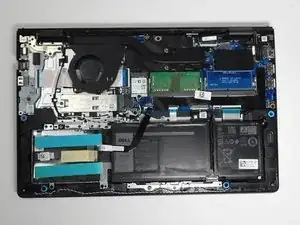
This guide will show you how to replace the SSD of the Dell Vostro 3510. The SSD is a component that is in charge of storing data and memory. Additionally, SSDs also affect computer system performance. Pros to upgrading the SSD include higher computer performance, faster boot times, and quicker access to data.

Before you begin, power off the laptop and disconnect it from the charging adapter and any peripherals.

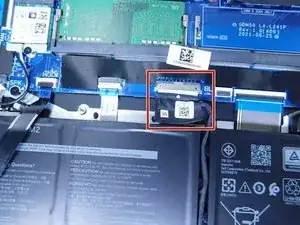
Note: You don’t need to remove the battery to complete this repair, but be sure to disconnect the battery connector from the motherboard.

  1. T1tfX4CTU2VHDqvw
    T1tfX4CTU2VHDqvw
    CAACGfimIlSVjWTs
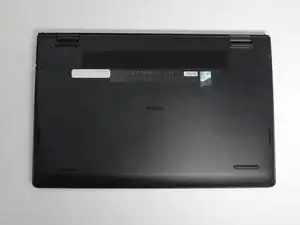
    • Ensure the laptop is powered off.

    • Flip the laptop over.

  2. NmrSXlHVGeNZ5qIE
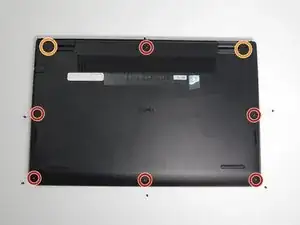
    • Use a Phillips #0 screwdriver to remove the screws highlighted with red circles.

    • Loosen the two 1 mm captive screws (orange circles in the image) on the back corners of the bottom cover.

    • Keep track of each screw and make sure it goes back exactly where it came from to avoid damaging your laptop.

  3. ER2L66uAQgdHusNl
    ER2L66uAQgdHusNl
    HabbJvYAKiDGVRBs
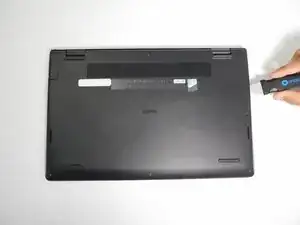
    • Open up the back cover of the laptop.

    • It is much easier to open up the laptop with any type of spudger or with Jimmy.

  4. xxDv6I1NdEfXspKV
    xxDv6I1NdEfXspKV
    HYBQHdRYqRG6lVuw
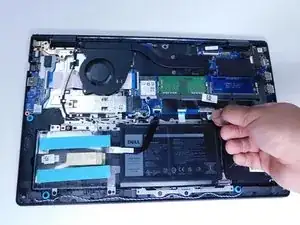
    • Remove the battery cable from the motherboard by lightly pulling on the black tape attached to the ribbon cable.

  5. HDccP2spbWaQEqcu
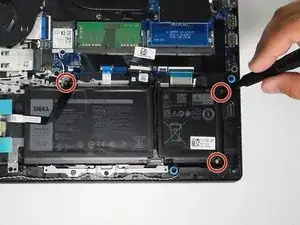
    • Use a Phillips #0 screwdriver to remove the three battery screws.

    • Carefully move the additional sata storage ribbon cable to the side.

  6. 2bgYPvaRRbIhEoqC
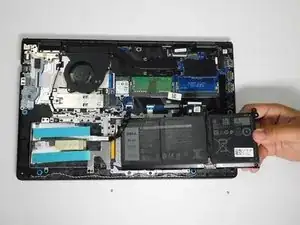
    • Gently remove the battery from the laptop.

    • Be careful with the other ribbon cables.

  7. mCeIgHM4KeYwFg3h
    mCeIgHM4KeYwFg3h
    Vfwq2BOXsssSyFAX
    FlQa61qgEkiMsuah
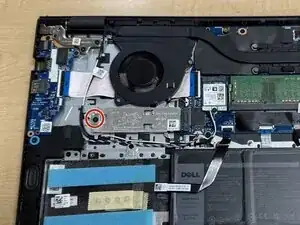
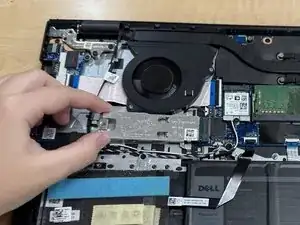
    • Use a Philips #000 screwdriver to remove the single 2 mm screw from the metal plate covering the SSD.

  8. oXDMSNdZ4JnBogKO
    oXDMSNdZ4JnBogKO
    QPWLrZmpHRNfkVl5
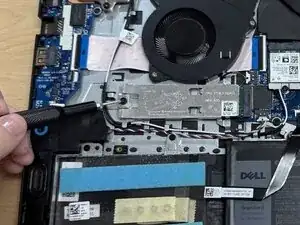
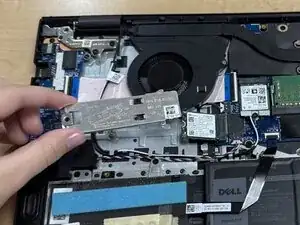
    • Pull the metal cover off the SSD.

  9. aANVPZbKHvR1W3vO
    aANVPZbKHvR1W3vO
    jSLkVyjHNBeIheqE
    gavlZN3HgPsBFWpS
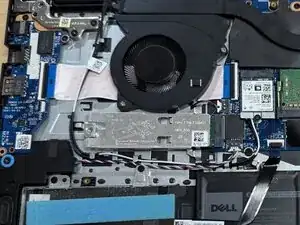
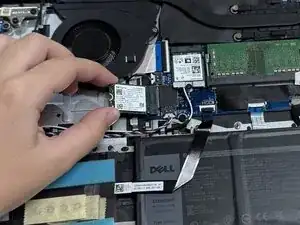
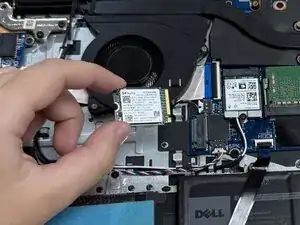
    • Gently slide the SSD out of its socket using your fingers.

    • Avoid twisting or bending the SDD while removing.

Conclusão

To reassemble your device, follow these instructions in reverse order. Take your e-waste to an R2 or e-Stewards certified recycler.

Deyanira

Membro desde: 25/09/25

118 Reputação

0 comentários