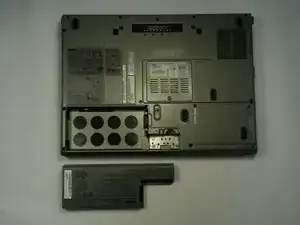
Introdução
If your Dell Latitude D830 laptop is no longer holding a charge or you notice the battery draining too quickly, it may be time to replace the battery. This guide will walk you through a simple 8-step process to replace the battery with a compatible new one. No special tools are required for this replacement, but you’ll need to have a new, compatible battery on hand before you begin.
Before starting, ensure that the replacement battery is specifically designed for the Dell Latitude D830 model to guarantee proper fit and function.
Take precautions to power off the laptop completely and disconnect it from any power sources before proceeding with the replacement.
Caution: If you notice the battery is swollen or smells weird, be careful when handling it. Review this guide for tips on how to handle a swollen battery.
-
-
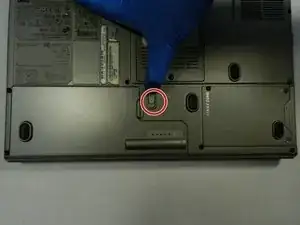
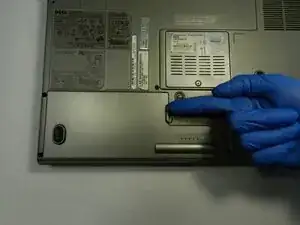
Place your finger/ thumb on the slide button, then push the button forward.
-
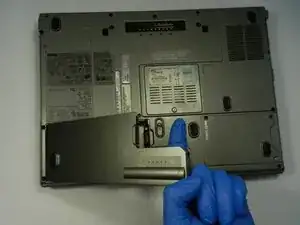
Place your finger/thumb under the ledge of the battery.
-
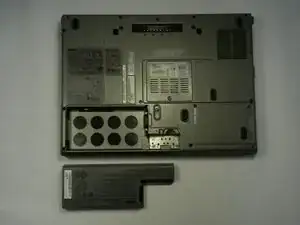
Lift the battery and remove it from your laptop.
-
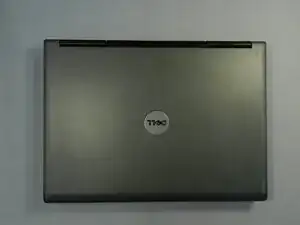
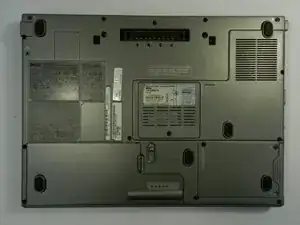
To reassemble your device, follow these instructions in reverse order. Take your e-waste to an R2 or e-Stewards certified recycler.
