Introdução
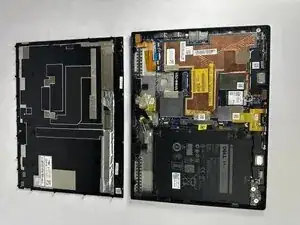
If your Dell Latitude 7285 2-in-1 has a cracked screen, unresponsive touch panel, or malfunctioning display, replacing the display assembly may restore your device to proper working condition.
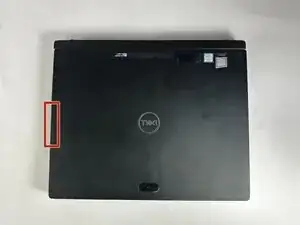
Before beginning, power off the device completely, remove the detachable keyboard, and unplug all accessories. Remove the microSIM and microSD cards before starting this repair.
Ferramentas


-
-
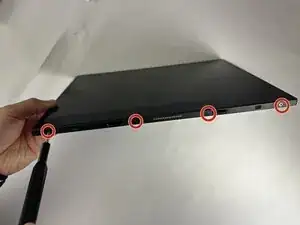
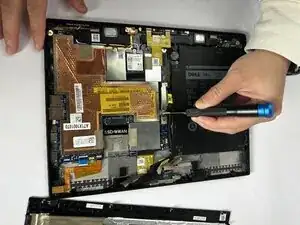
Using a Phillips #00 screwdriver, remove the four 4 mm screws securing the display panel to the tablet.
-
-
-
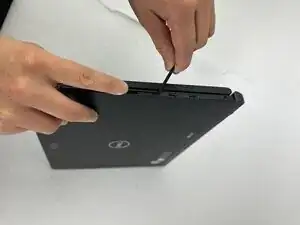
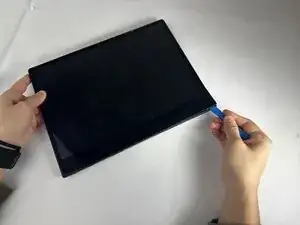
Pry around the edges of the display using an opening tool to release the clips, starting at a corner.
-
Lift the panel and slide it upward to free it from the frame.
-
Tilt the panel open.
-
-
-
Rest the bottom edge of the display against the tablet’s rear cover.
-
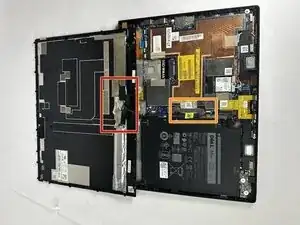
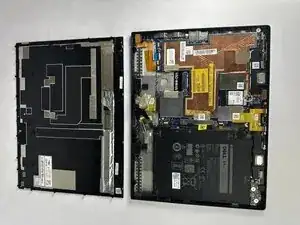
Open the display to 180° and lay it flat on your workspace.
-
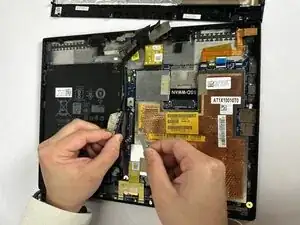
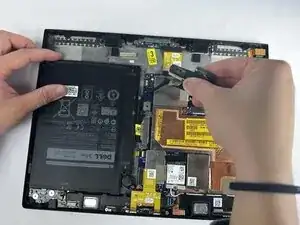
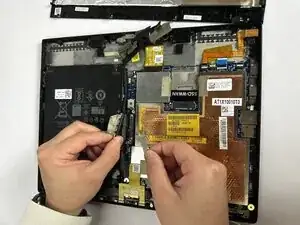
Gently remove the adhesive tape that secures the display cable on the system board.
-
Remove the two 2.5 mm screws using a Phillips #00 screwdriver.
-
To reassemble your device, follow these instructions in reverse order.