Introdução
If your Dell Latitude 7285 2-in-1 has trouble turning on, shuts down unexpectedly, or no longer holds a charge, the internal battery may have reached the end of its lifespan. Lithium-ion batteries degrade over time with repeated charge cycles, and once the battery can no longer store adequate power, replacement becomes necessary.
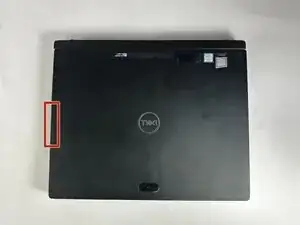
To access the battery, you’ll need to remove the display panel from the tablet.
Make sure to power off the device completely, remove the detachable keyboard, and unplug the charger before beginning this repair.
Ferramentas


-
-
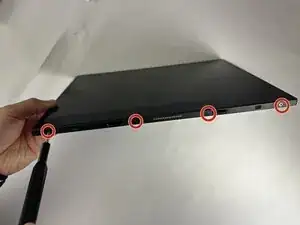
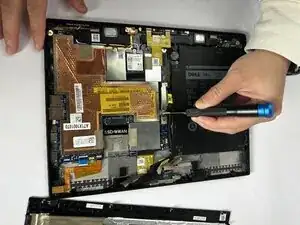
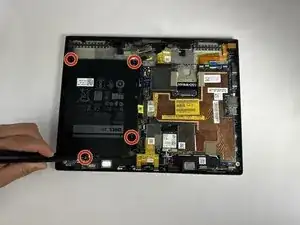
Using a Phillips #00 screwdriver, remove the four 4 mm screws securing the display panel to the tablet.
-
-
-
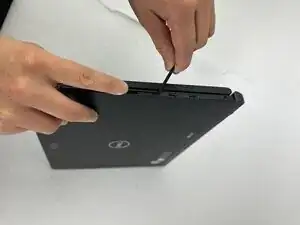
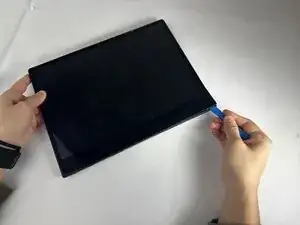
Pry around the edges of the display using an opening tool to release the clips, starting at a corner.
-
Lift the panel and slide it upward to free it from the frame.
-
Tilt the panel open.
-
-
-
Rest the bottom edge of the display against the tablet’s rear cover.
-
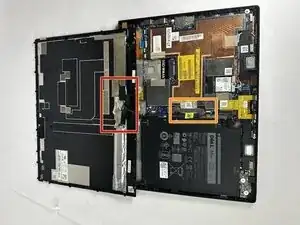
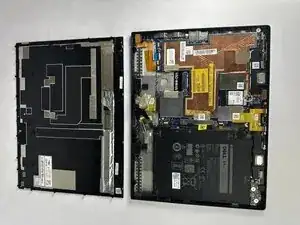
Open the display to 180° and lay it flat on your workspace.
-
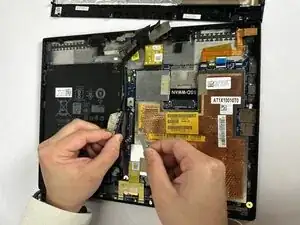
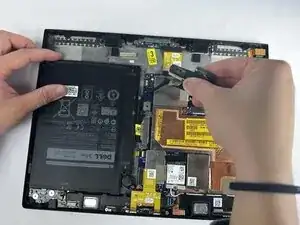
Gently remove the adhesive tape that secures the display cable on the system board.
-
Remove the two 2.5 mm screws using a Phillips #00 screwdriver.
-
-
-
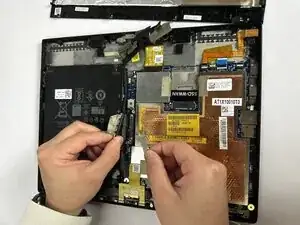
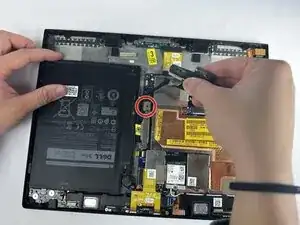
Using a Phillips #00 screwdriver, remove the single 2.5 mm screw securing the metal bracket on the system board.
-
Lift the metal tab and disconnect the battery cable.
-
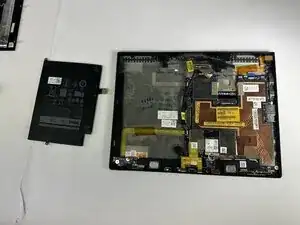
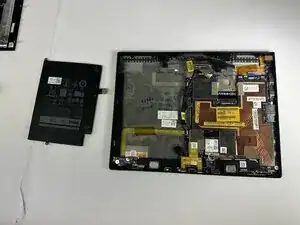
Lift the battery straight up and remove it from the device.
-
To reassemble your device, follow these instructions in reverse order.