Introdução
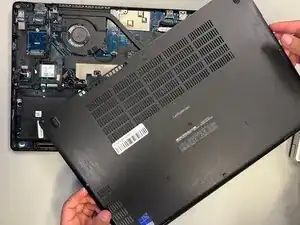
Use this guide to replace the lower case on a Dell Latitude 5580.
Ferramentas


-
-
Orient your laptop so that you have access to the lower case, with the vents facing upwards.
-
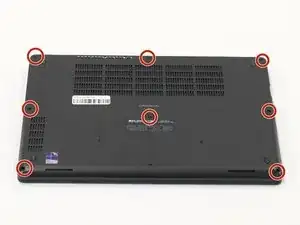
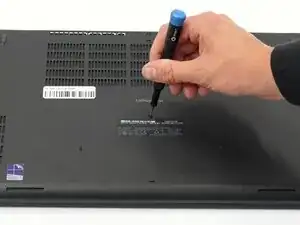
Use a Phillips screwdriver to loosen the eight screws securing the bottom cover.
-
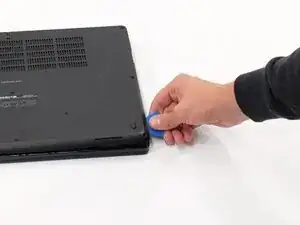
Insert the end of an iFixit opening tool or an opening pick into the seam between the bottom and top case to release the clips holding them together.
-
Slide the opening tool or pick around the edge of the laptop until the case is fully released.
-
Remove the lower case.
-
Conclusão
To reassemble your device, follow these instructions in reverse order.