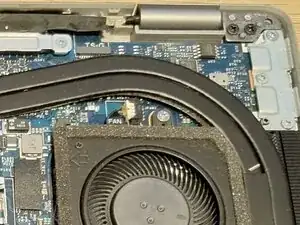
Introdução
A quick guide on replacing the Thermal Paste in your Dell Latitude 5420. When repasting, I'd personally recommend getting some PTM7950 due to both it's longevity and performance - I barely heard the fans after repasting and the CPU wouldn't go over 80c when benchmarking, so it's an easy way to restore performance and almost improve your laptop!


-
-
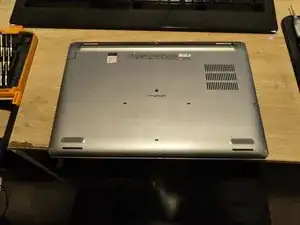
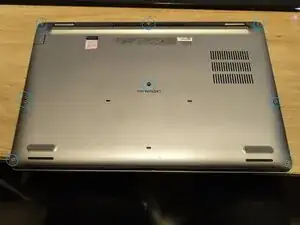
Overall this is a pretty easy cover to remove - there are 8 encapsulated screws to remove, all Philips #0. Start by loosening all 8 of these screws.
-
-
-
After you've loosened all the screws, you should be able to pry underneath the cover between the screen hinges and gently lift the cover and separate the clips that hold the cover on to the main chassis. Once these are removed the cover should pop free.
-
-
-
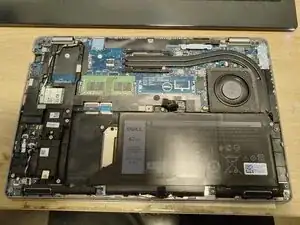
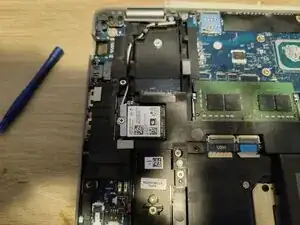
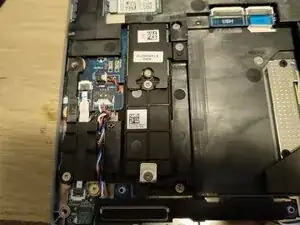
From here you should be presented with a view very similar to this - I'd first recommend removing the battery before proceeding with any other steps, but it's pretty straightforward to remove the CPU cooler to repaste, replace the RAM, replace the WiFi card or to replace the M.2 SSD's from here.
-
-
-
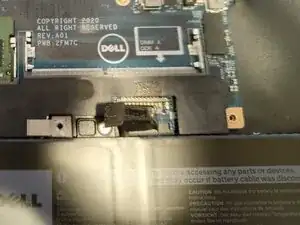
Since you're not opening this just for funsies, you'll likely want to disconnect the battery before proceeding. To do so is pretty straightforward - take a non-metal tool (a plastic spudger preferably) and gently wiggle the battery connector straight up until it's as per the pictures. You can then bend it slightly out of the way.
-
-
-
Using a non-metal tool (preferably a plastic spudger), gently wiggle the fan connector out of its socket.
-
-
-
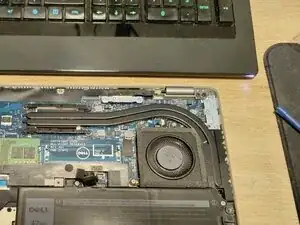
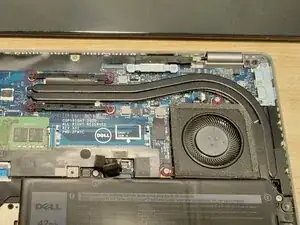
Once you've got the cover off, you'll be able to immediately see the CPU Fan & Heatpipe assembly. This assembly is one piece so the fan will also be removed with the heatpipe.
-
Loosen the 4 Philips screws on the main heatsink directly above the CPU. These are sort of captive screws, so shouldn't fall out, but I found that I could remove them if enough force was used so perhaps be careful!
-
Also loosen the 2 Philips Screws on the Fan assembly.
-
-
-
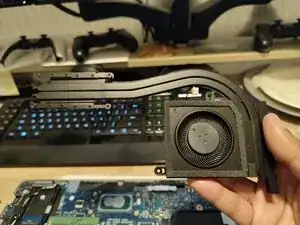
Before lifting the heatsink off, I would give it a little twist either clockwise or anti-clockwise to break the bond of the old thermal grease. You don't have to rotate much, just until that initial bond is broken. Once that is done you should be able to gently lift the assembly up using the fan and the heatsink.
-
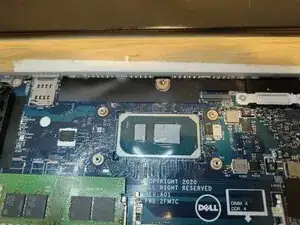
You should now have the heatpipe assembly free which can be placed to the side for cleaning.
-
-
-
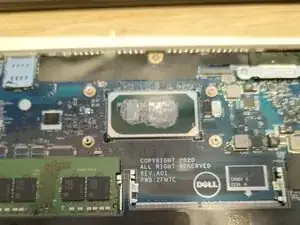
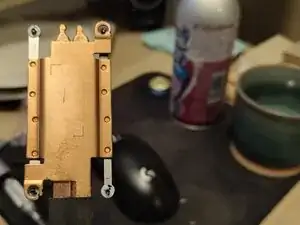
Now is the time to clean off the old thermal gunk from both the CPU and the heatsink. I'd recommend Isopropyl Alcohol and a non-linting cloth/rag. Once these are clean apply your new thermal compound (see the last picture for my PTM7950 application), reinstall and you're good to go!
-
To reassemble your device, follow these instructions in reverse order.